The Computers of CODBLOPS6

I’ve been a subscriber to Microsoft Gamepass for a few years now, but never a heavy user.  So, between my most recent annual subscription expiring and the recent price increase I figured it might be time to let it rest for a bit.

Before that, however, I wanted to catch up on some of the games that came over to Gamepass as part of the Activision acquisition, including the most recent Call of Duty game: Black Ops 6.

Quick summary of my thoughts: I pretty much only play CoD for the single-player campaign and the Black Ops series usually nails that.  I particularly enjoyed Cold War for the deep 1980s nostalgia hits, and BLOPS6 takes that into very early-90s nostalgia.  Good times, strong recommend.

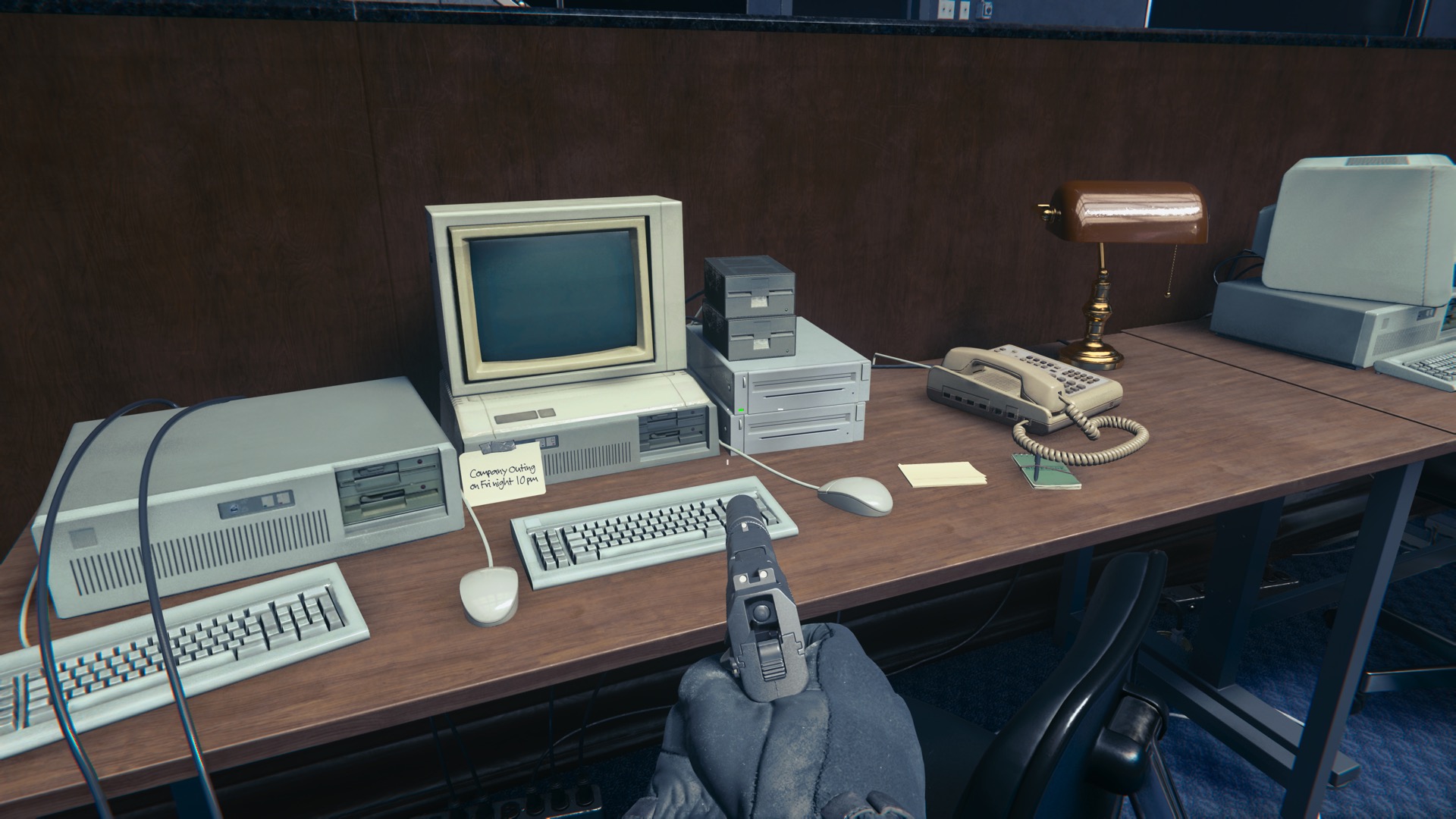
HOWEVER.  Not 10 minutes into the game, I got blindsided by this:
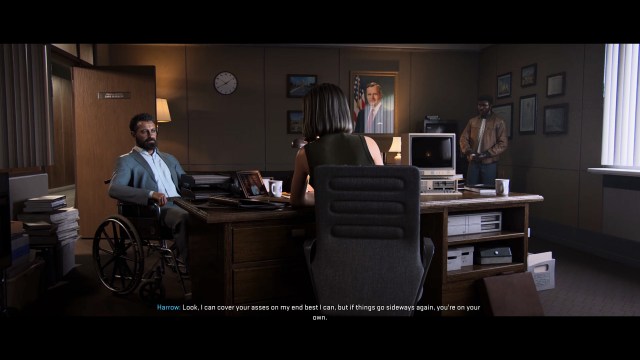
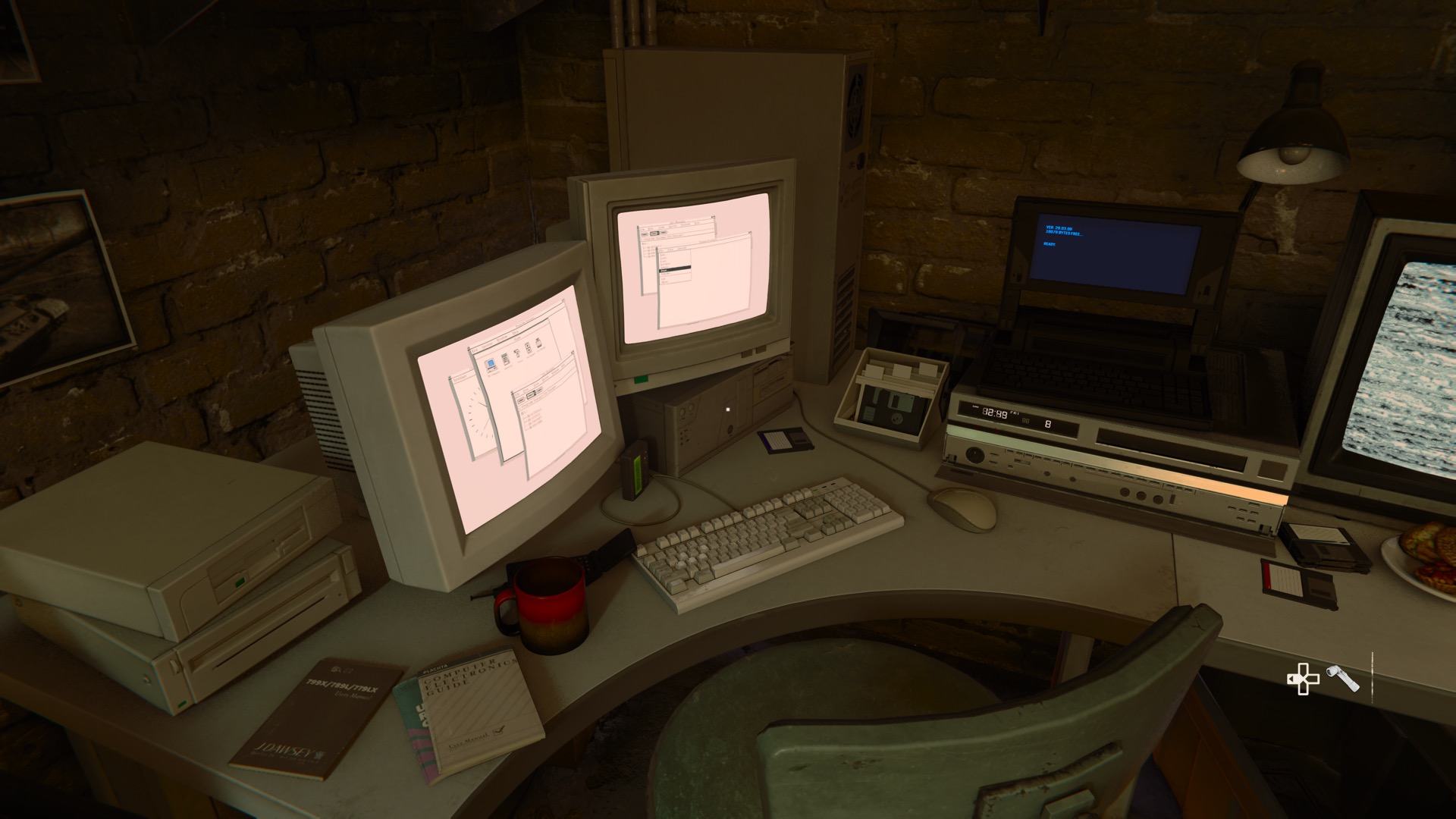
That is an IBM PCjr, cartridge ports and all, with the PCjr monitor and the PCjr keyboard.  Not the chiclet one they initially released, thankfully, but the proper one they gave out free as an apology.  It should not be on ANY desk in a business environment, let alone in 1991, but I have to love that someone felt the need to faithfully model it and slip it into this scene.

Naturally I then spent the next eight hours or so taking screenshots of random computers and tech items and occasionally shooting bad guys to get to the next area with random computers and tech items in it.

So what follows is a collection of a bunch of screenshots and a whole lotta snark.  I suspect I am writing this mostly for myself, but if anyone else of a certain age stumbles across this they might enjoy the snark as well.

Let’s get started.

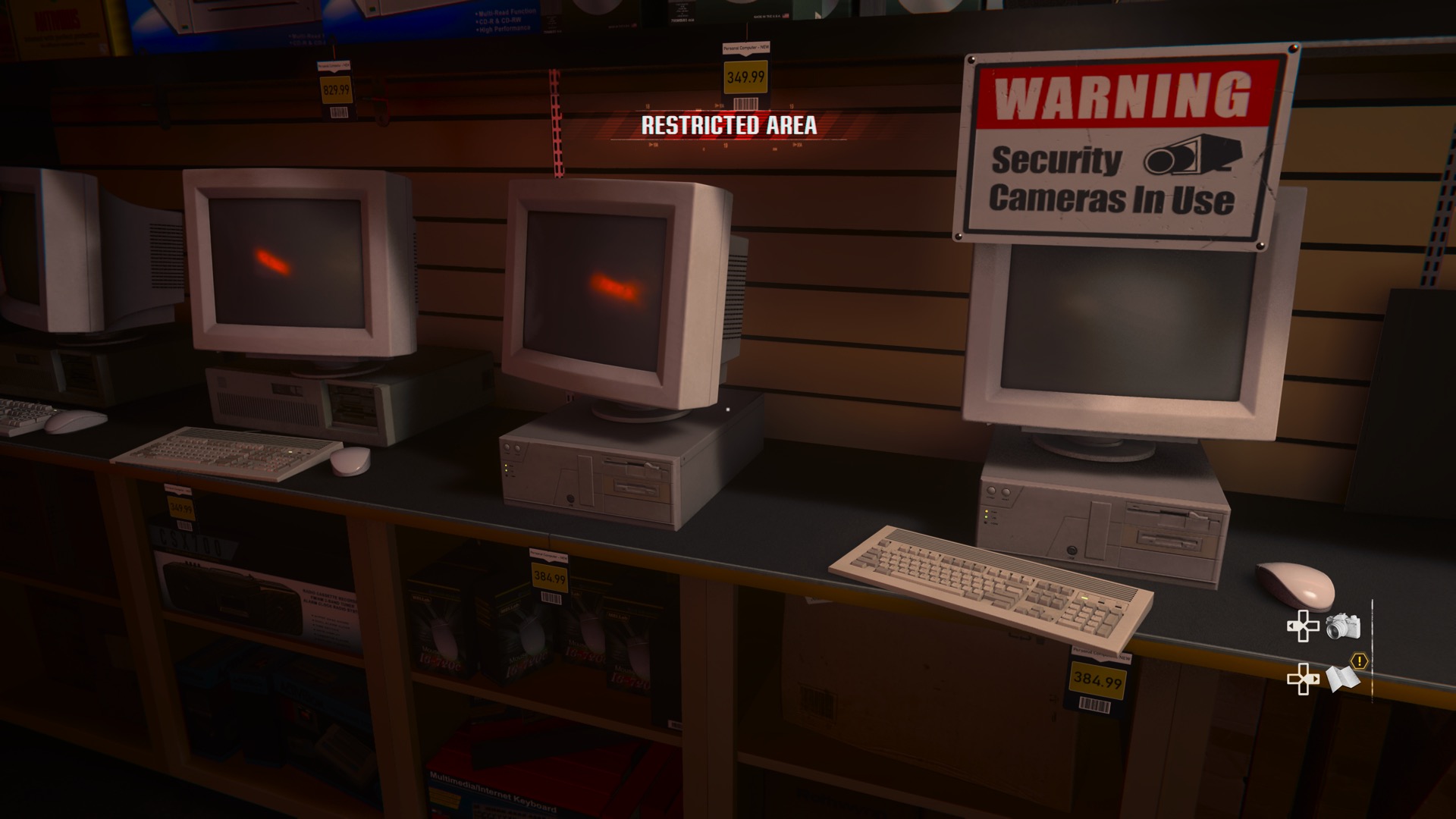
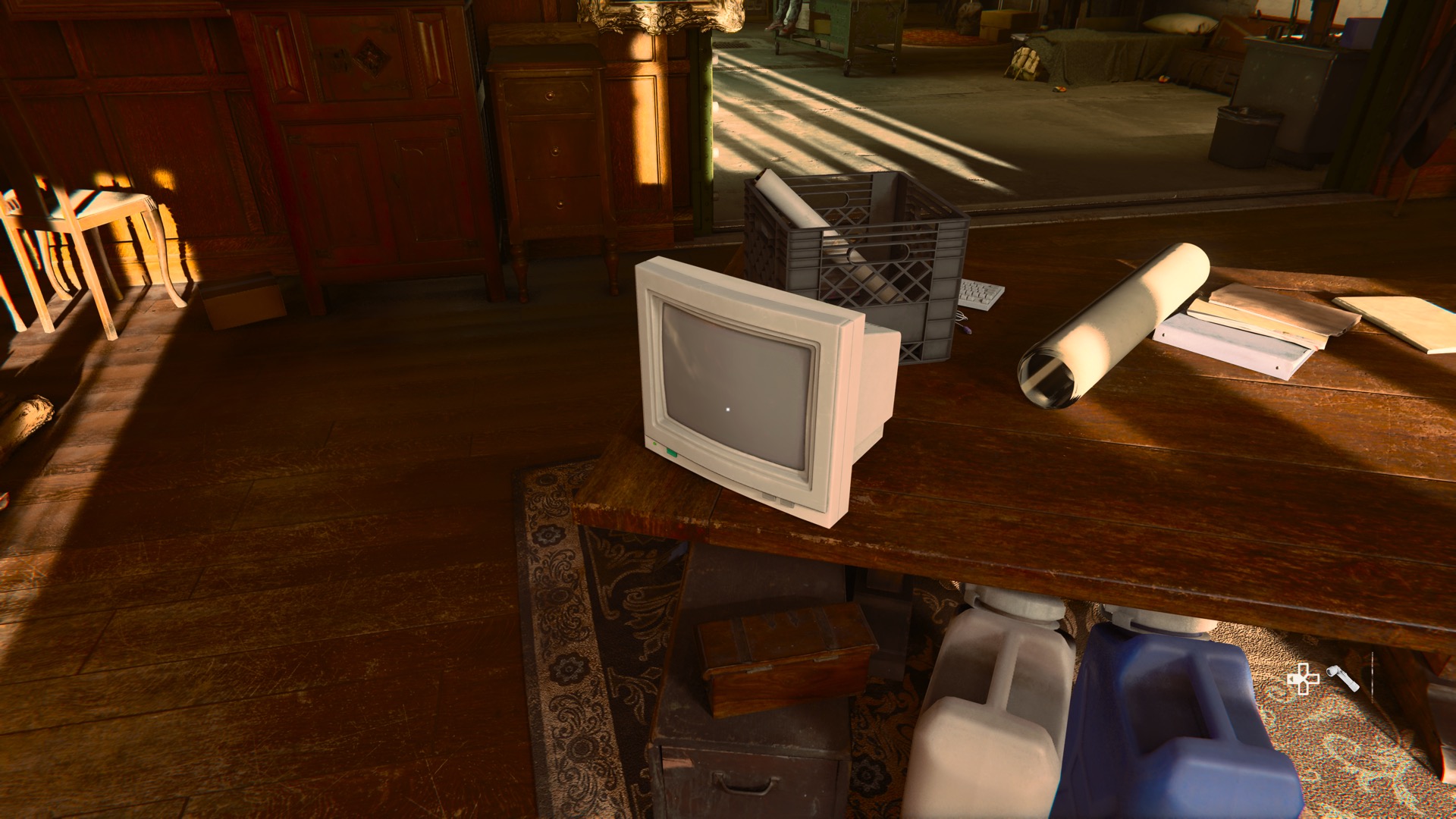
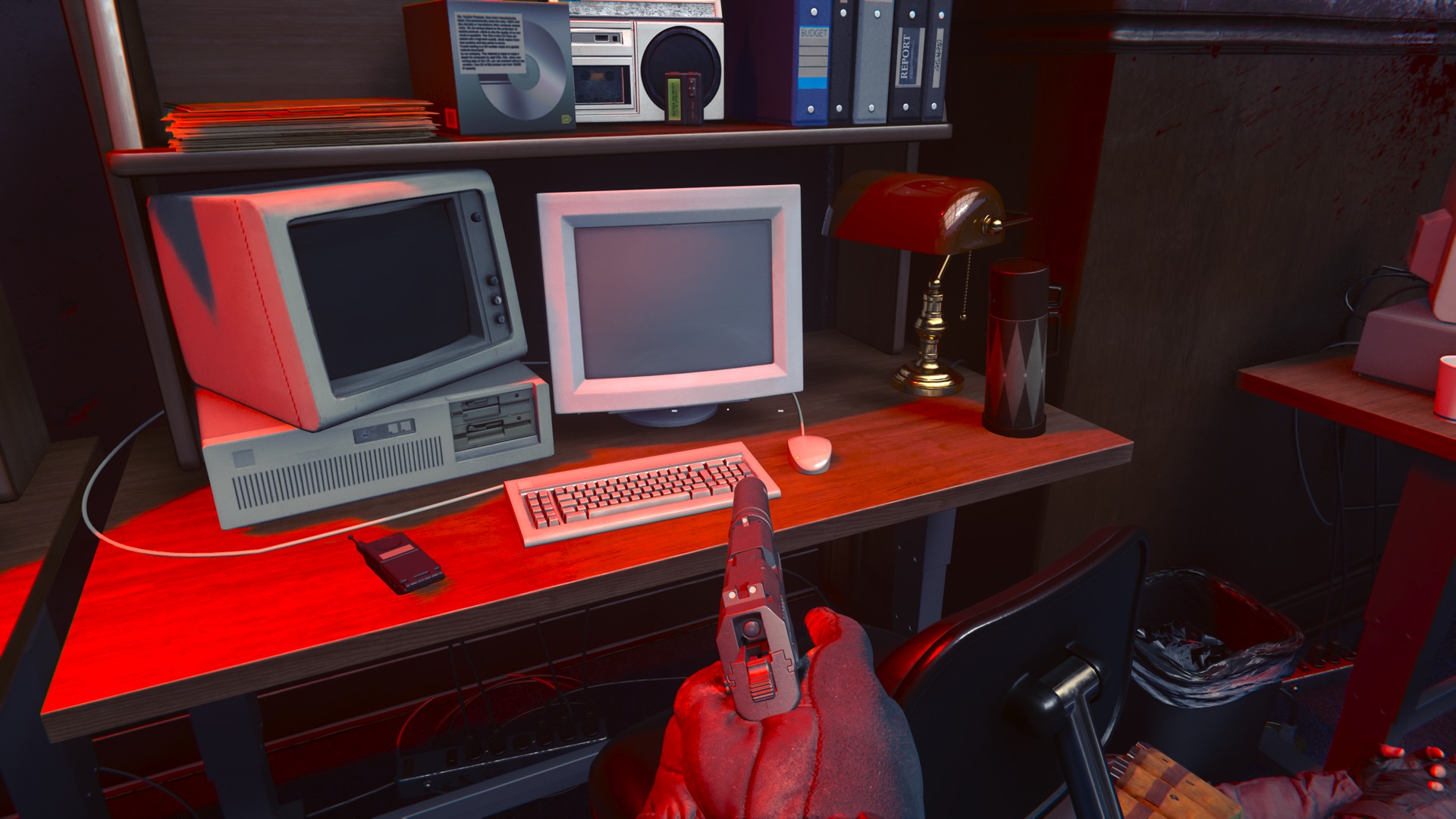
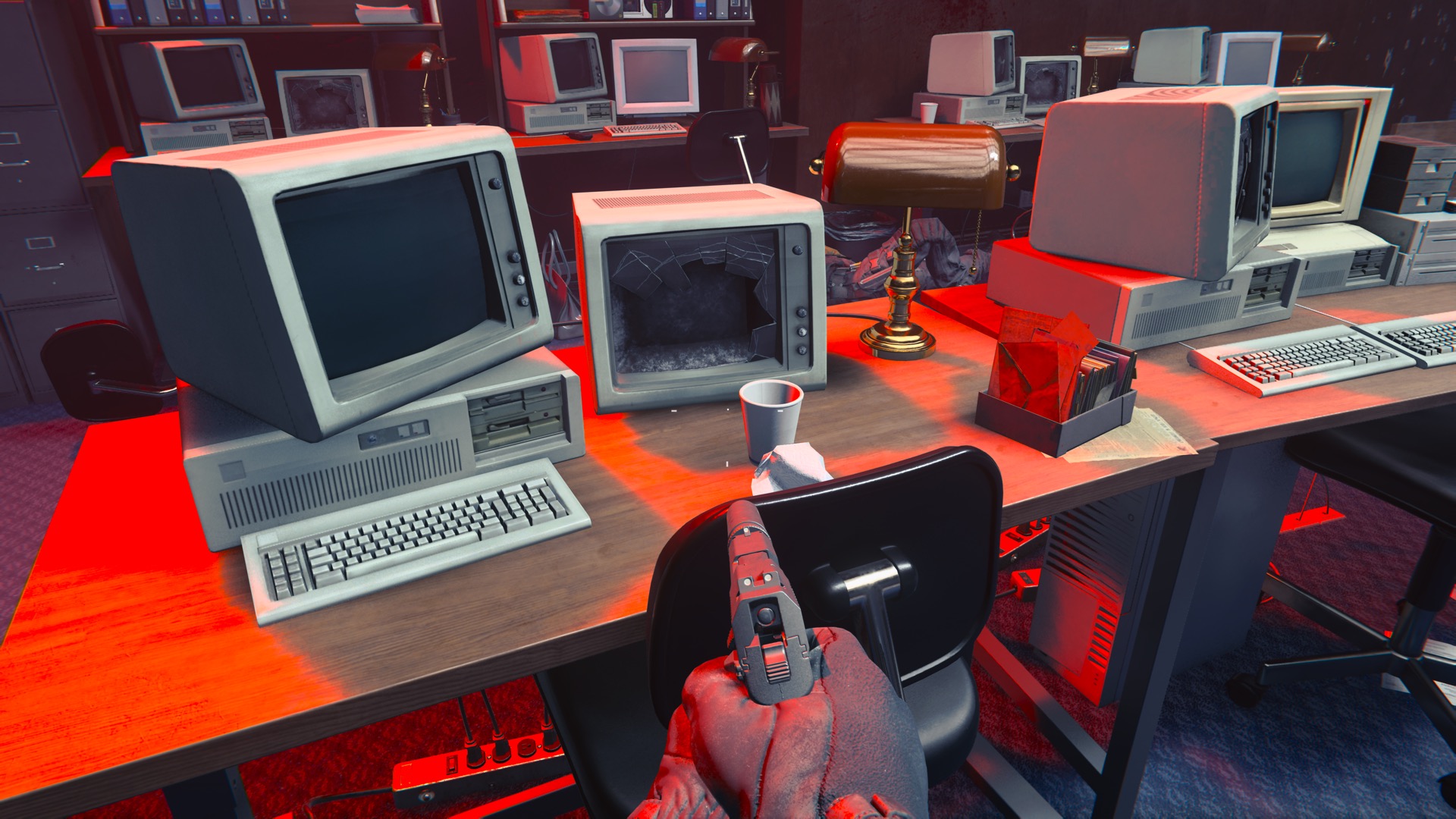
These generic PC/XT and PC/AT clones show up a lot in the game, sometimes with this same generic probably-monochrome-VGA monitor sitting on them.  There are actually several different monitor models in the game.

The mouse feels a little anachronistic, and not just because it’s wireless.  I feel like it’s a variant of the Microsoft Mouse that wasn’t sold yet in 1991.

BIG kudos to the graphics team for remembering that mice of this vintage should not have a scroll wheel.  That’s a pet peeve of mine for anything set pre-1998 (Captain Marvel, I am looking at you).
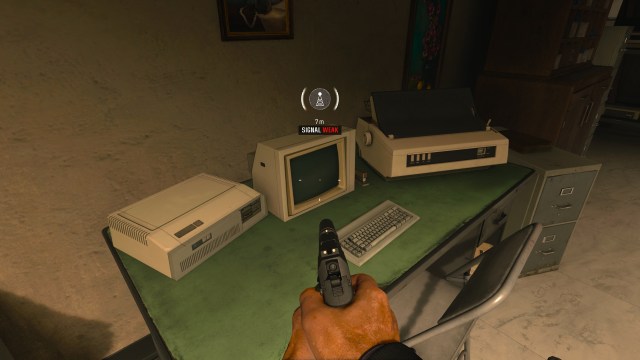
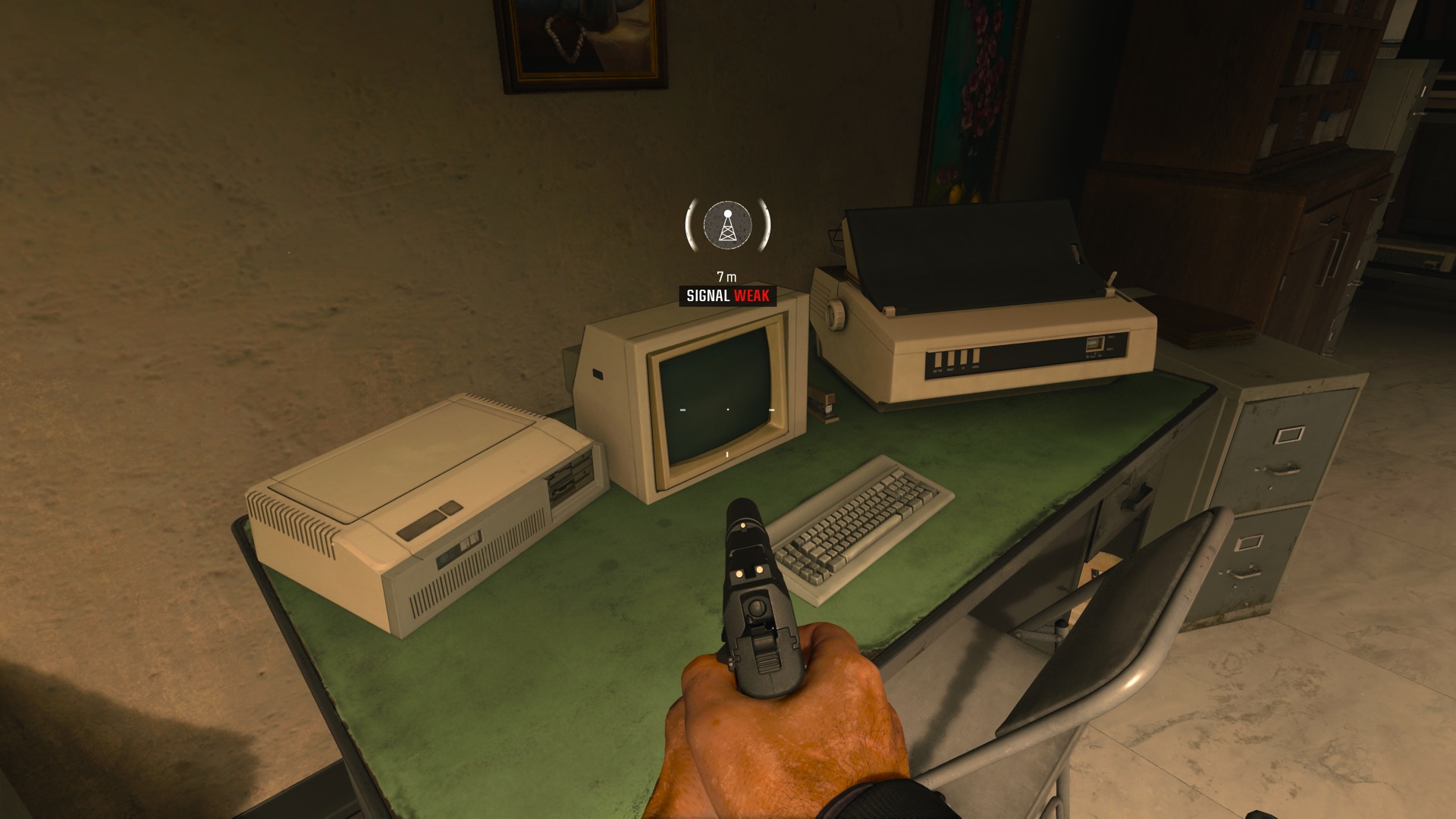
Less generic, and actually just plain WEIRD is this Frankenstein’s abomination of a computer.  The back half of it is plainly an Apple ][ of some variety (it’s a //e in this case, I’ll get back to that) but then it has a generic PC/XT front panel slapped on just where the keyboard should start.  Also you get a Monitor ][ and an IBM PC/XT keyboard.  It’s not the original 5150-bundled keyboard as it doesn’t have the terrible enter key.

Also there’s a printer here.  This specific model shows up a lot in the game.  Unlike monitors, they didn’t really feel the need to make a wide variety of printers.

I originally thought it was an Okidata printer of some variety, but I can’t find any models that match.  That may just be my internal bias of “generic ugly printer = Okidata” at work.
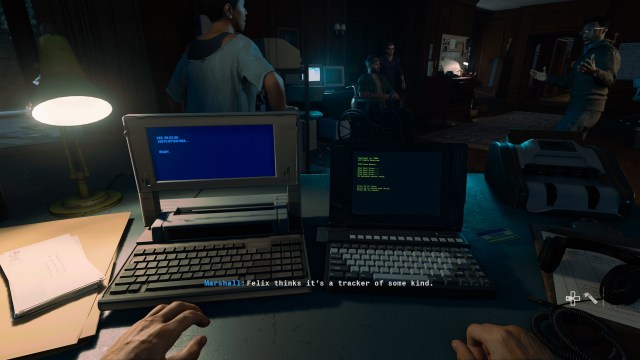
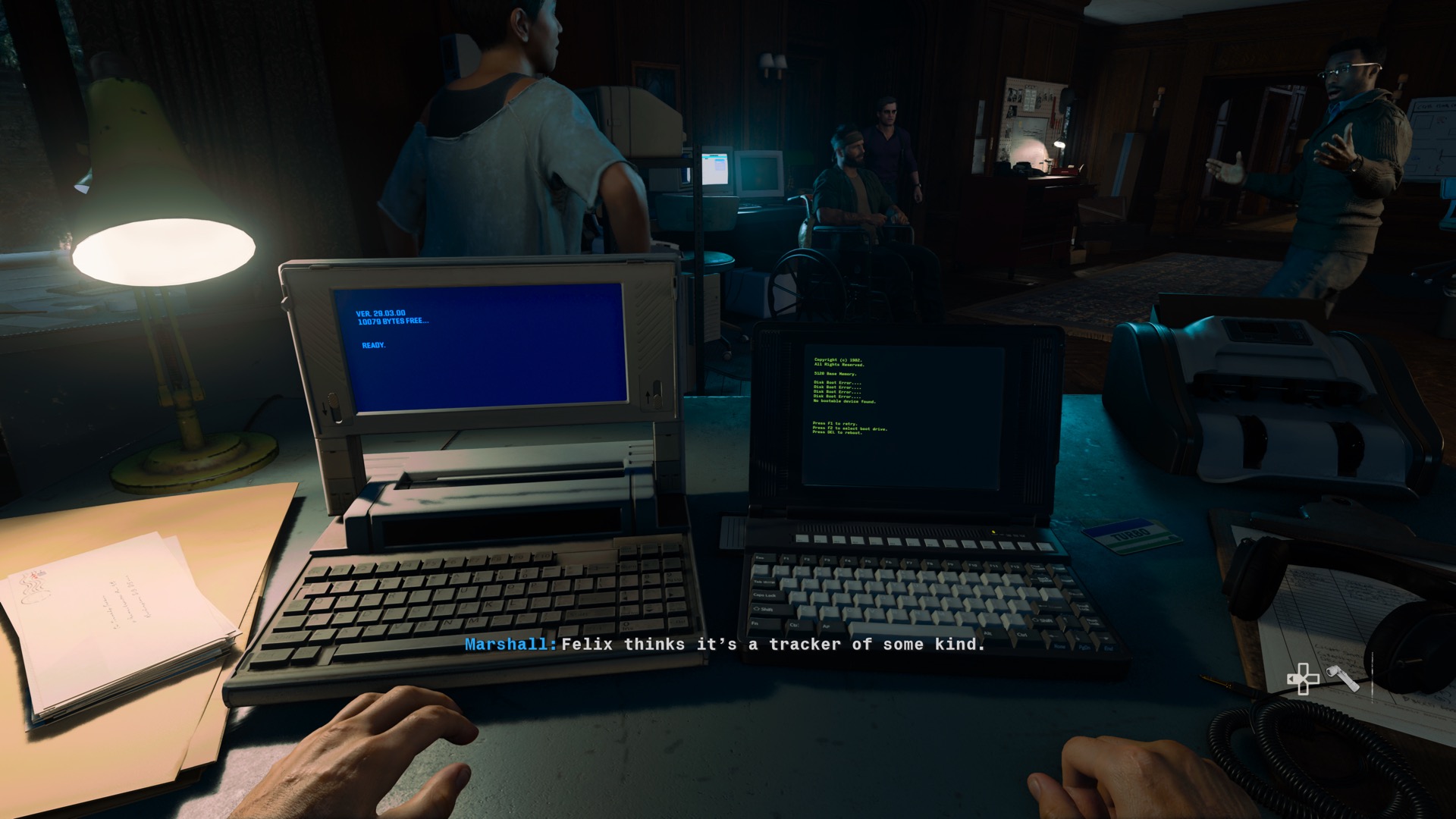
These two laptops show up… not often?  But occasionally.  Whenever they need to put a laptop in a scene, you’ll see one of these.  I was going to ding them for what I thought was a Windows key on the keyboard of the right-hand laptop, but I found a closeup where it turned out to be a Fn key.

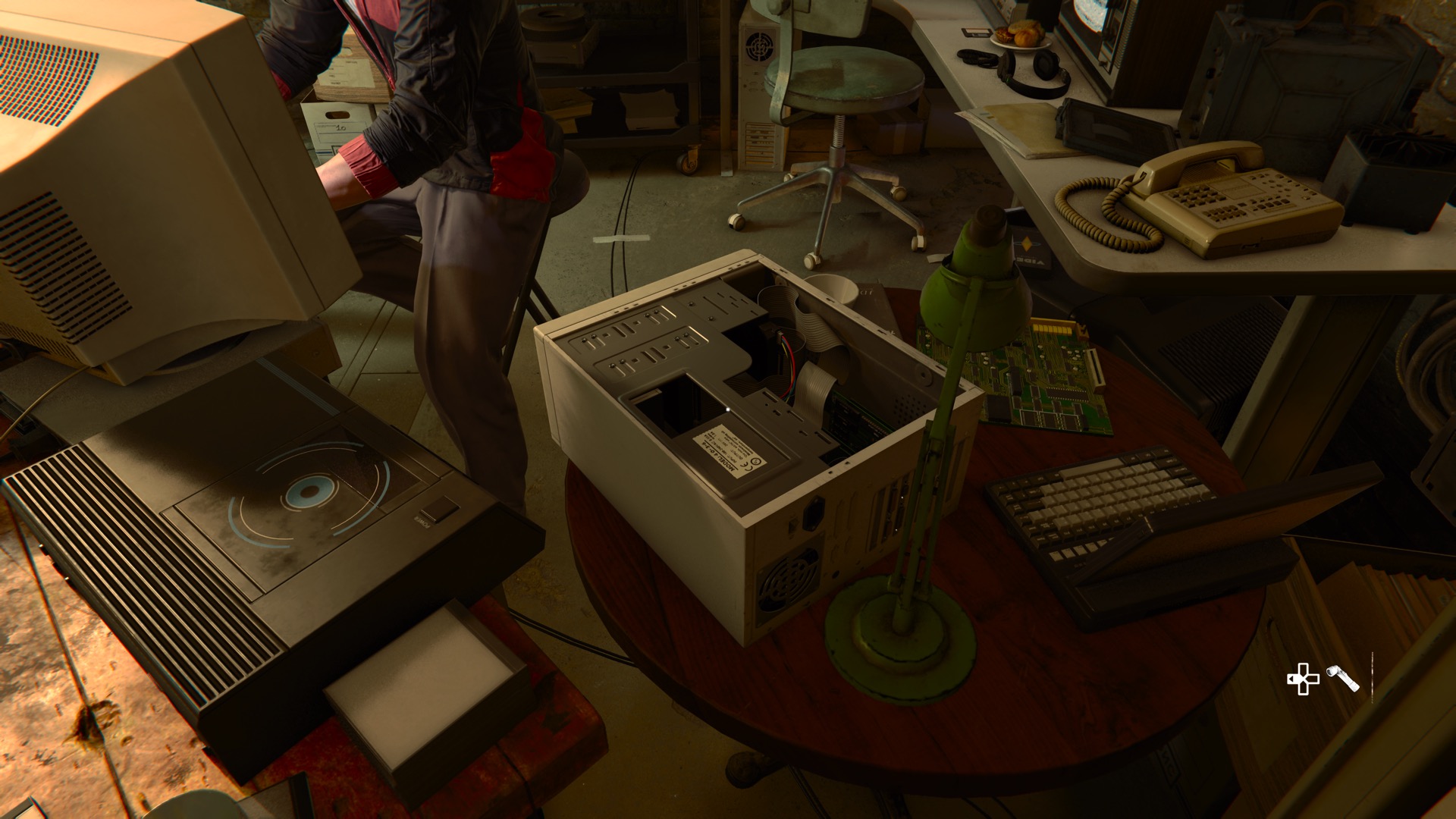
This little minitower also makes frequent appearances.  Usually it’s on its side with the side panel missing.  I like the very appropriate interfaces on these screens.


This PC tower is the most modern-looking computer.  It doesn’t have a 5.25 inch floppy drive at all, and DOES have a tray-loading CD-ROM drive.  Honestly, this is pushing things for 1991.

It shows up in a couple of versions, one with the door open like this and one with it closed.

I thought this was modeled after something in the IBM PS/2 line of computers, but I can’t find any of those that had a front panel door like this.
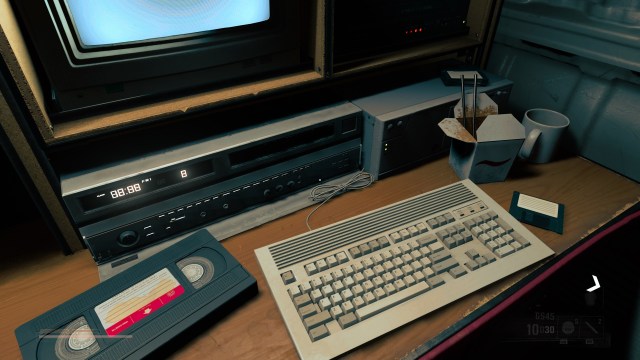
 

This AT-format keyboard shows up very often.  Again, huge credit to the graphics team for remembering that the Windows key did not exist in 1991.

There are a lot of 3.5″ floppies on desks in BLOPS6.  Very often they are next to computers that only have 5.25″ drives.  As far as I noticed, there is only one 5.25″ floppy shown in the game, though – and again mad props to the team – it’s shown in a flashback, suggesting that it was several years prior to 1991.
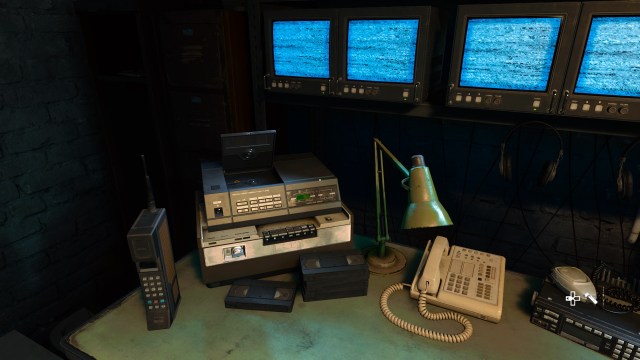
Interesting mix of tech here.  There’s a very old cell phone, what I suspect is a Betamax player (despite the stack of VHS tapes), and an early CD audio player.  The CD player makes a few more appearances throughout the game.  There are also several different VCRs that show up.  Some of them, fittingly, show “12:00” as the time.
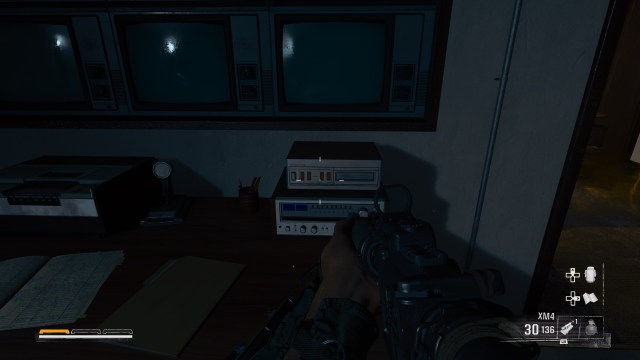
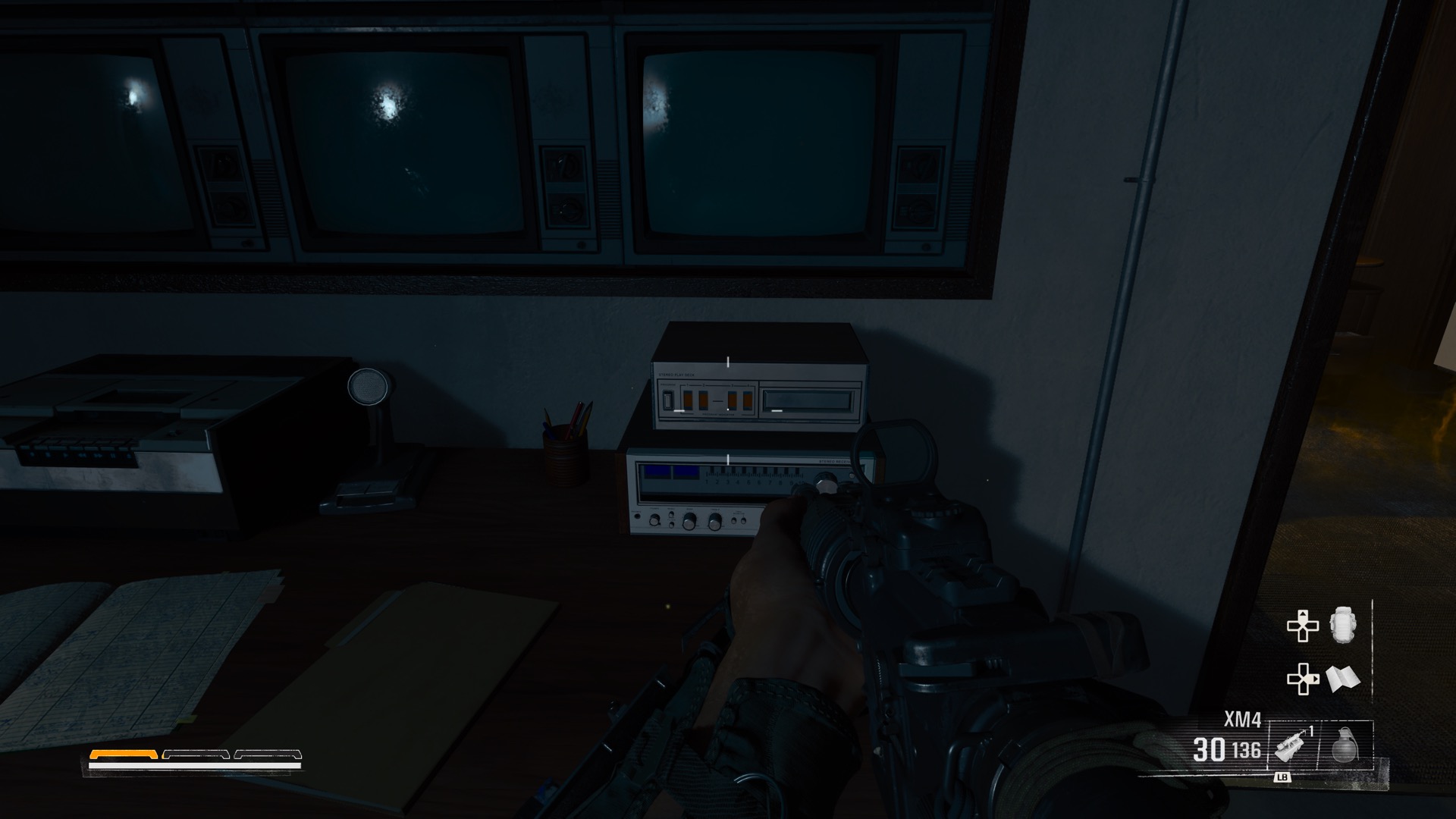
A different VCR (probably VHS this time?), some old TVs, a radio receiver and … lord almighty, is that an 8-track deck?  Like, did a 3D modeler in the 2020s really spend a day carefully crafting a 3D model of an 8-track player?

I think they did.

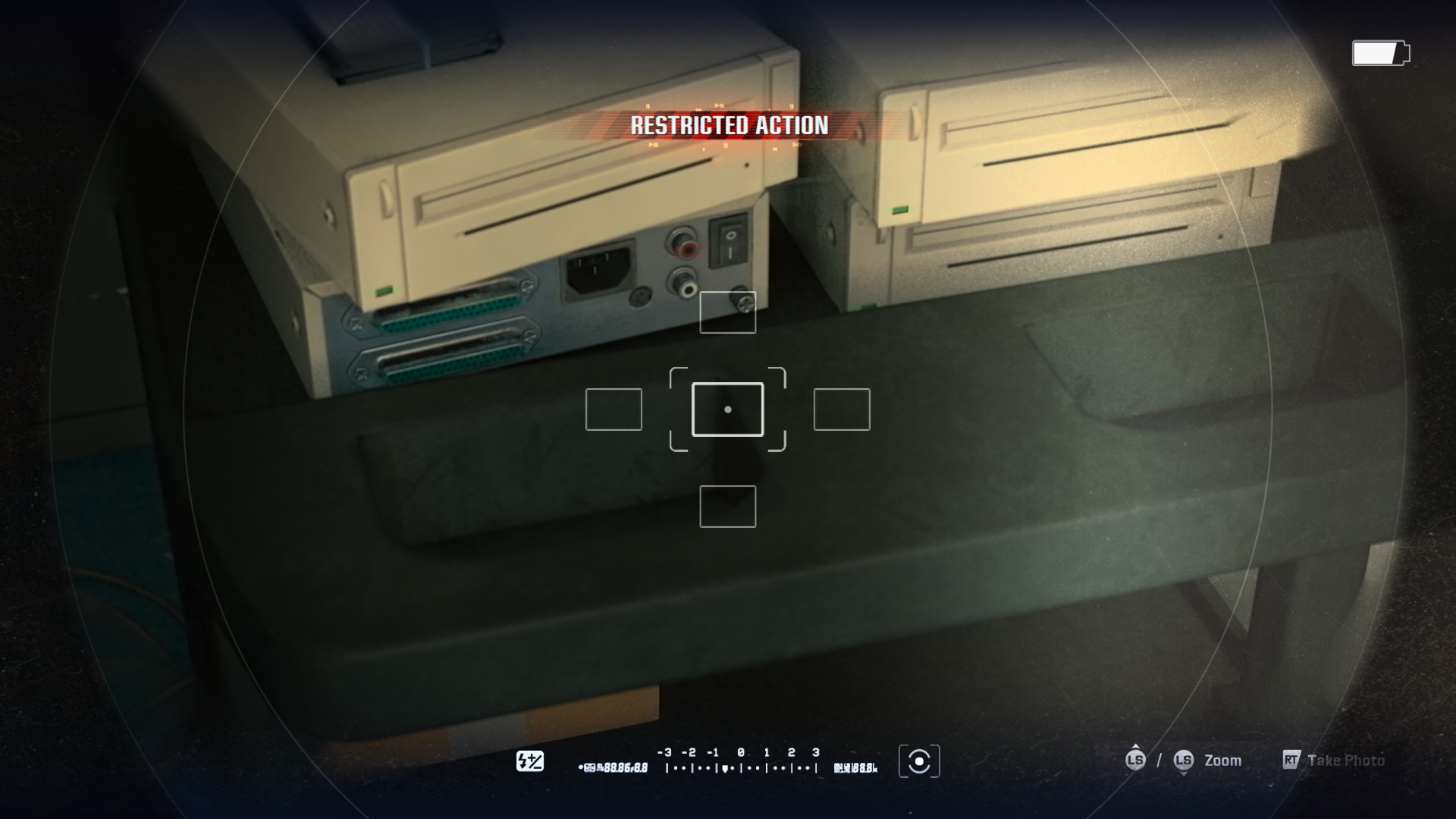
These external caddy-loading SCSI CD-ROM drives also show up a lot, but this is one of the few times I was able to get a really good look at the back.   Really impressed by the detail here.  I forget what that DIN connector was used for, but I know that it’s period-appropriate.
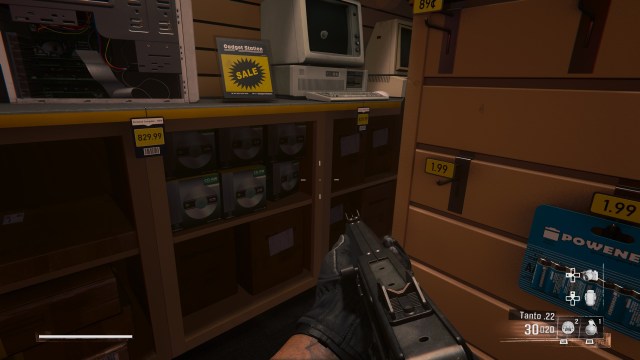
A very rare absolute miss on the part of the art team.  CD-RWs weren’t a thing until several years later.  Even plain old CD-R disks were a very scarce novelty.
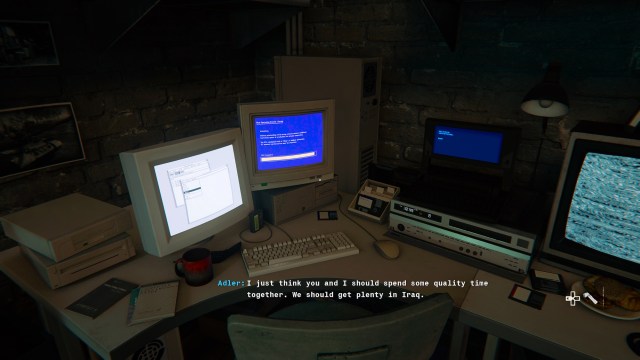
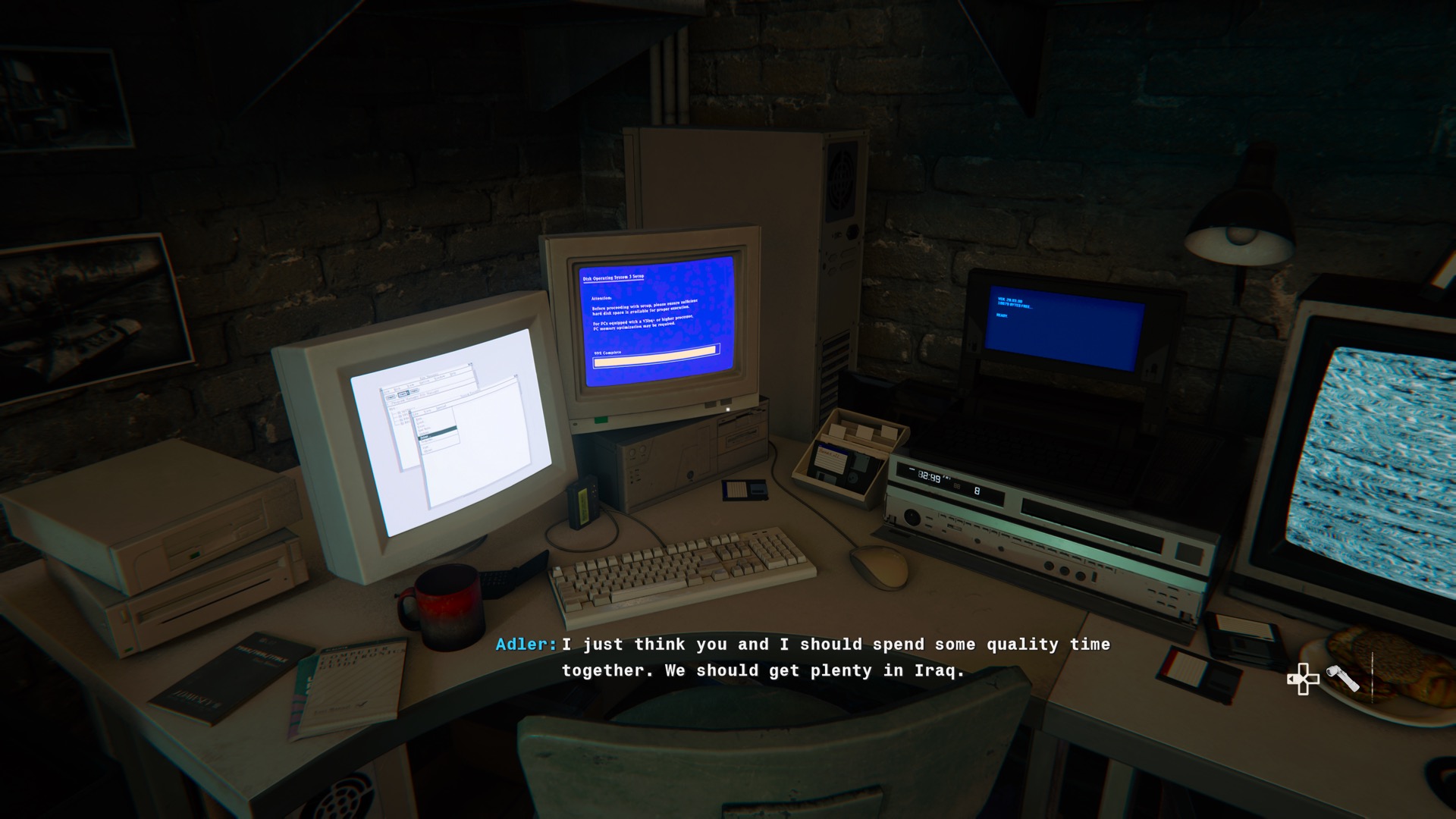
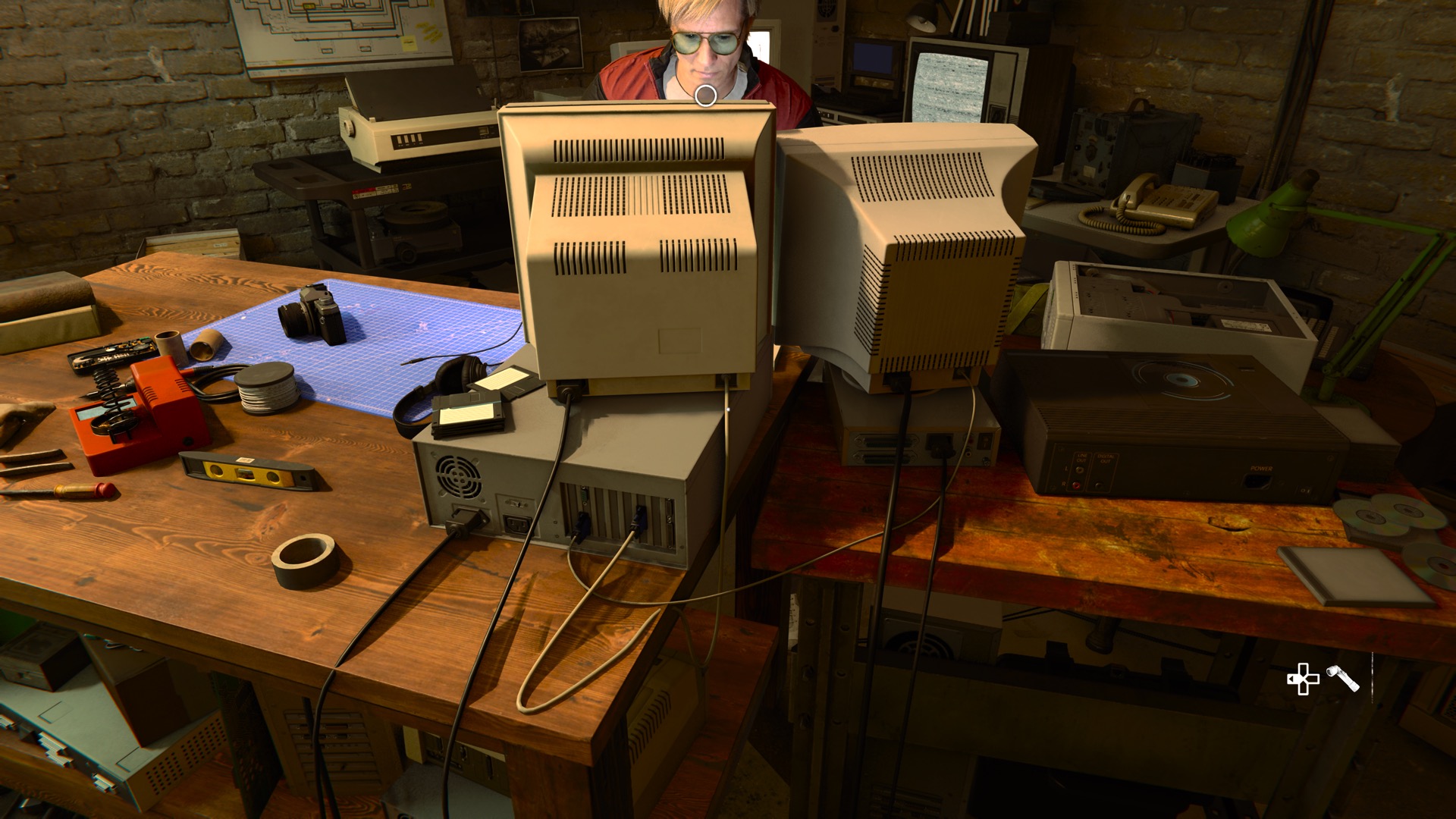
A different VCR and what looks like a very large external 3.5″ floppy drive next to a PC/AT clone running two monitors.  One of them looks to be running Windows 286 and the other has a …DOS 3.0 installer?

Two monitors was a pretty rare thing in 1991 and I don’t think you could make it work like this.  Typically you needed one MGA/Hercules monitor and one CGA/EGA/VGA.
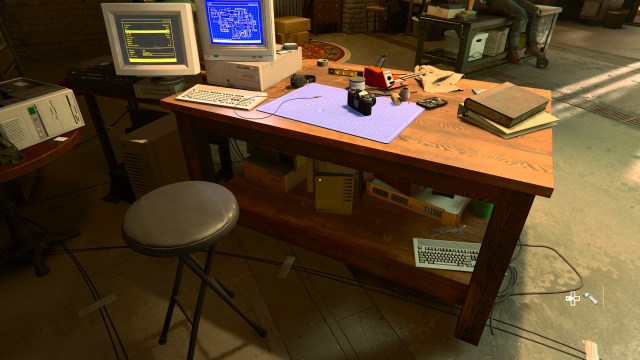
Another two monitor setup, another instance of that questionable PC tower, a minitower on its side and another AT keyboard.
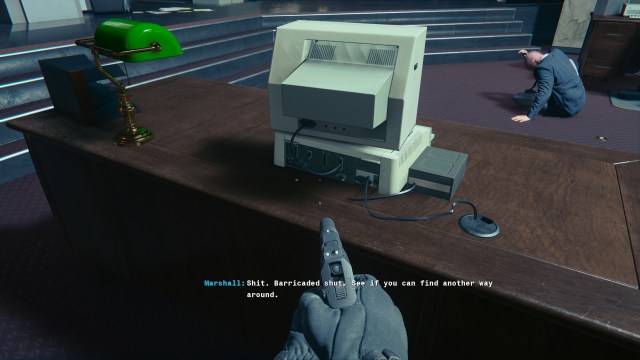
Finally a good look at the back of that monstrosity from earlier.  We can tell that it was modeled after the //e because it has a joystick port next to the cassette and video ports.

Also the monitor isn’t plugged into the video port at all, but we’ll forgive them.

This fairly generic monitor shows up a lot as well.  I was absolutely CERTAIN that this was an Amiga monitor, but I cannot match it to any monitor ever sold by Commodore.  I’m going to call it the not-Amiga-Monitor from here on out.
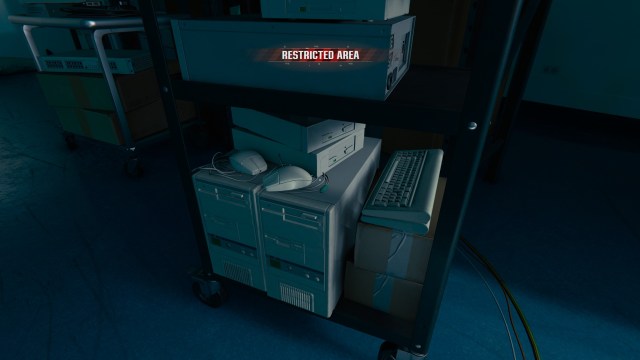
Another oops on the part of the graphics team.  These mice have green connectors.  That would make perfect sense… if this was set in 1997 or later.  There was no color code for PS/2 connectors prior to then.

One of the frankenpcs next to a PC/XT clone, featuring a couple of PC/XT keyboards, a couple of caddy CD-ROM drives, some mice – wired, this time, not wireless – and a pair of Apple Disk ][ drives.  Interesting that the Apple disk drives are the older pre-//e style.


Getting away from nitpicking PCs for a moment, strong shout-out to the Motorola MicroTAC.  I thought this was another blunder but apparently it dates all the way back to 1989.

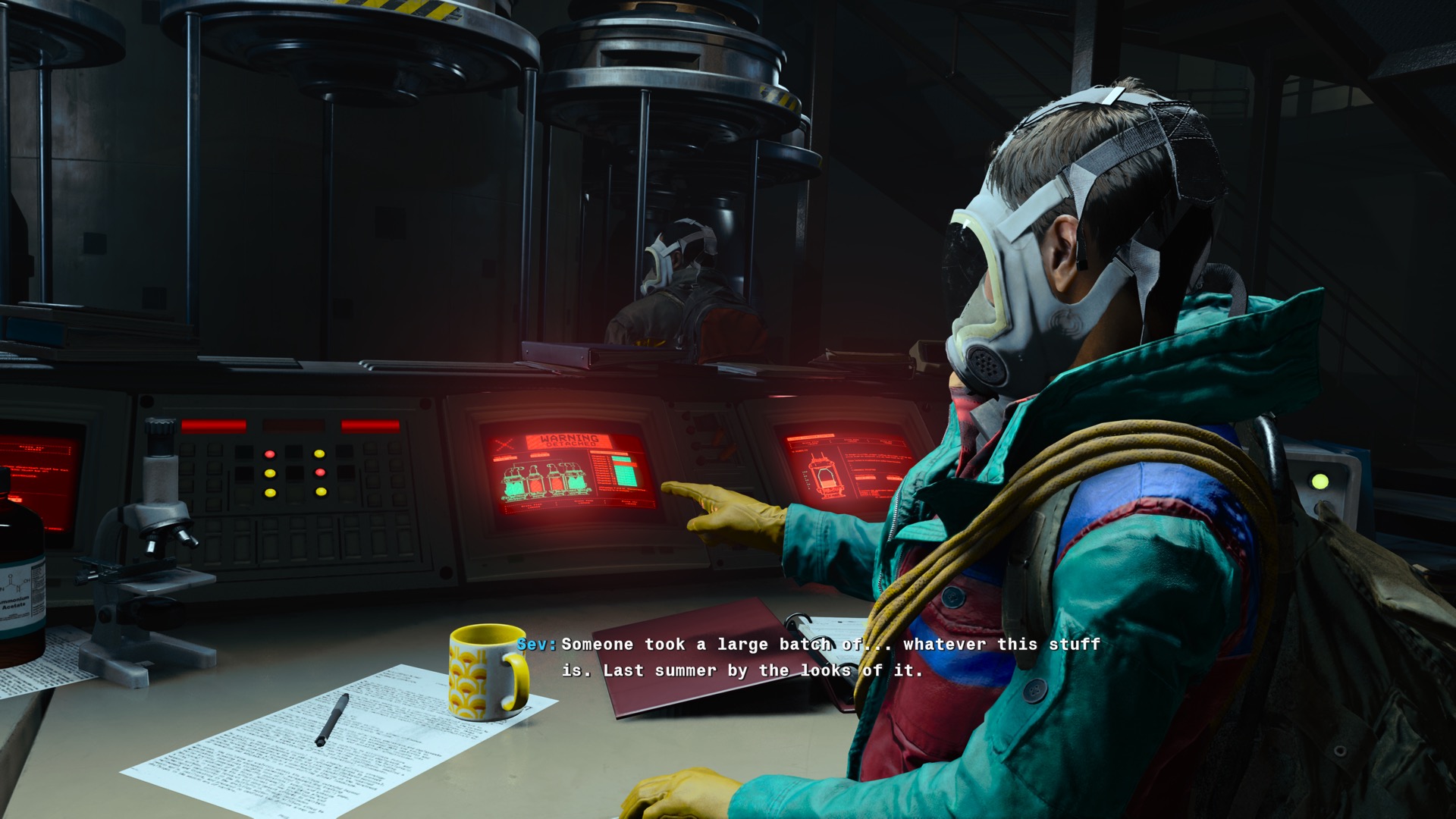
A couple of those not-Amiga monitors make an appearance in a biological weapons lab.

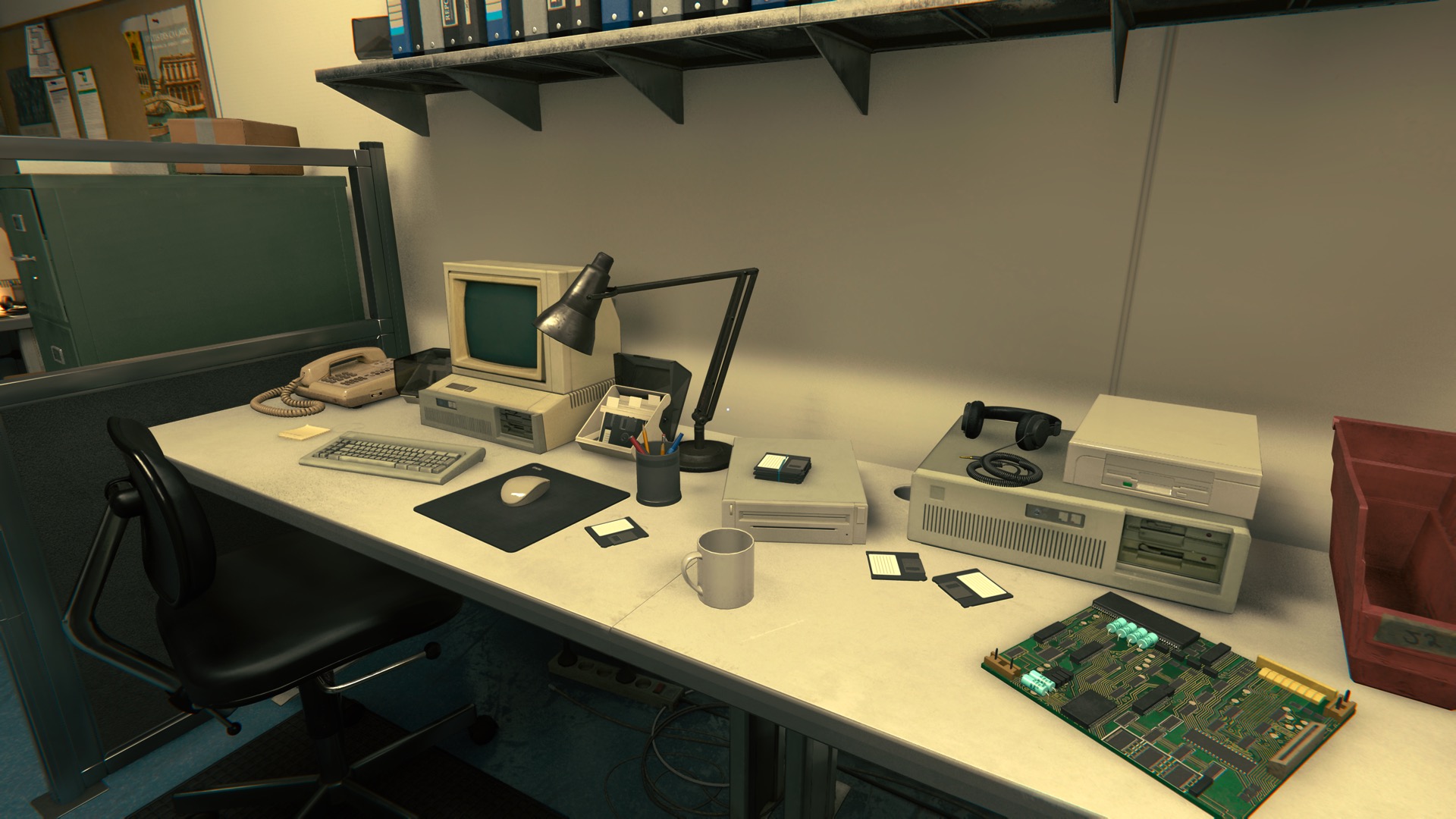
Another desk littered with 3.5″ disks, though this time there is an external 3.5″ drive to read them.  The motherboard on the right makes a few appearances.  I’m not sure what it’s based on.  It has one big chip that I suspect is a 68000-series processor but beyond that I’m at a loss.
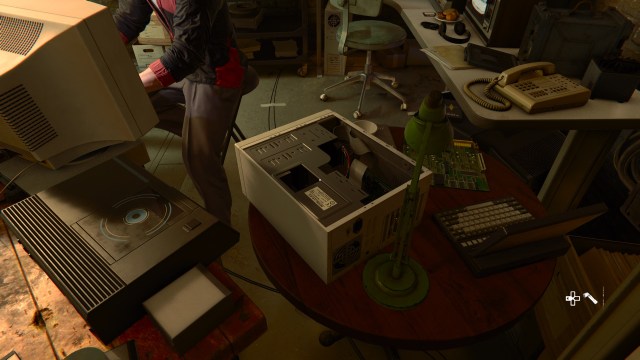
Nice view of the open minitower.  Note the IDE and floppy cables.  Also the CD player from earlier makes an appearance, but this time in a “door closed” version.

I really feel this case design is maybe a touch modern for 1991 but not so much to make a stink about it.

Nothing weird about these oscilloscopes, other than that they are labeled in Russian and you find them in an American facility.  I suspect that this is just a case of “nobody is going to stop for long enough to read the labels on these and we need some science stuff for a set dressing”.

OK, another example where I’m just in love with the detail.  The power supply in the PC here has a pass through for a monitor.  Very chunky 80s tech that stopped being a thing pretty early on.
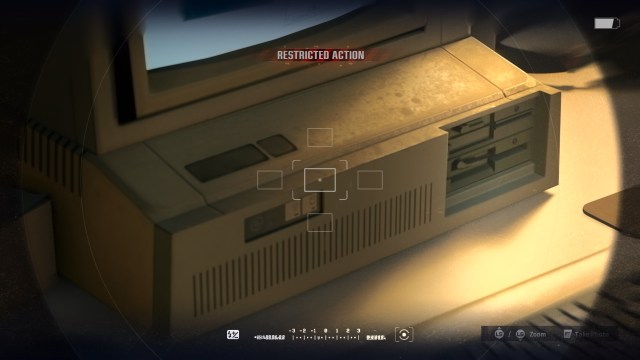
Just a zoom in on the front panel of the frankenpc to show the status lights and keyboard lock.   I think I owned a PC with this exact front panel.
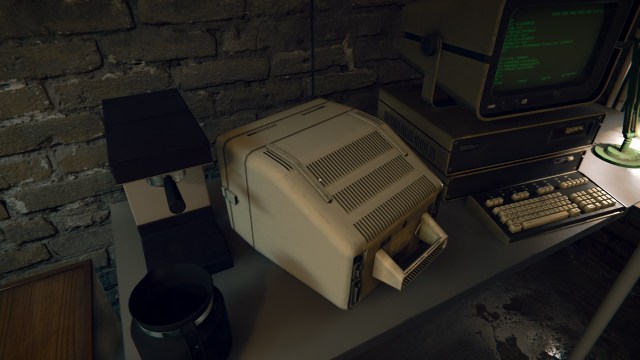
Not sure what this is based on, but it’s an interesting portable computer… or more likely, a portable terminal.  Doesn’t show up often and only in places where you would expect to find older tech.
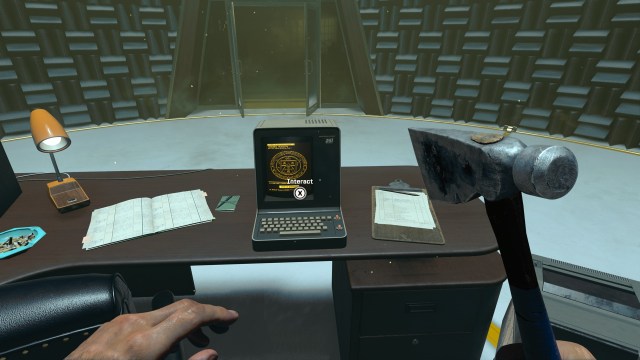
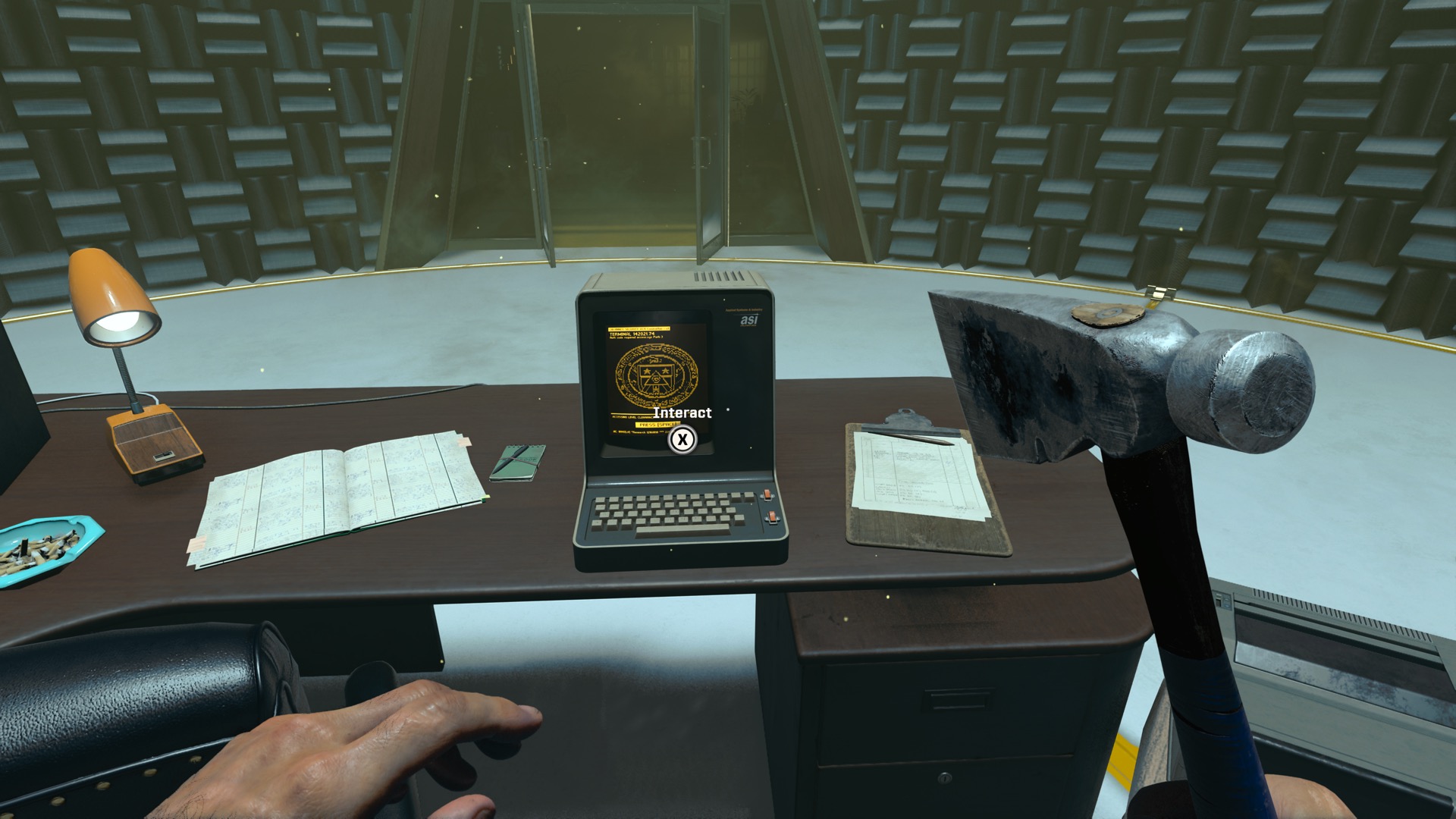
Speaking of terminals, this adorable portrait-style terminal makes several notable appearances in one level.  It has both amber and full-color variants which I suspect is a bit of artistic license.

Back side of said terminal.  While it IS connected to power, the serial port is consipciously not hooked up to anything.  Eh.  Good enough.
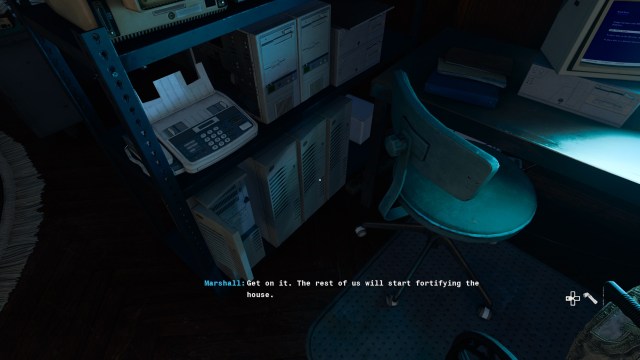
Cart full of computers, showing both the “open” and “closed” versions of that suspiciously-modern PC tower.

Hey, it’s Norton Commander!  This is absolutely appropriate for 1991.  Also the PCjr makes a very rare appearance here, though…

…somehow it’s a version of the PCjr that has a 3.5″ disk drive.  Pretty sure that never existed.
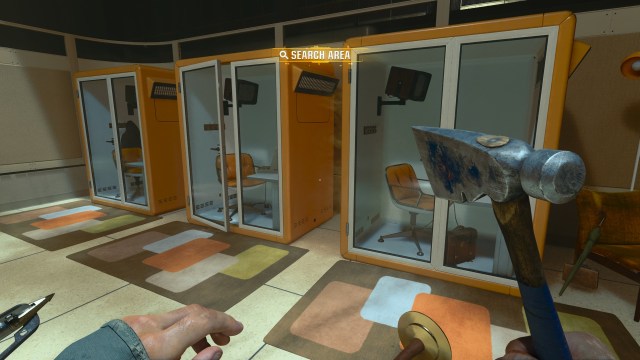
Nothing really to say about these little pod things other than that I love the color scheme.

Another huge win for the art team.  These power sockets are in Europe, and are completely different from…

…the power sockets in this American building.  I have a bad habit of looking at power sockets in video games, and I feel like they deserve extra credit for catering to this extremely specific fetish.
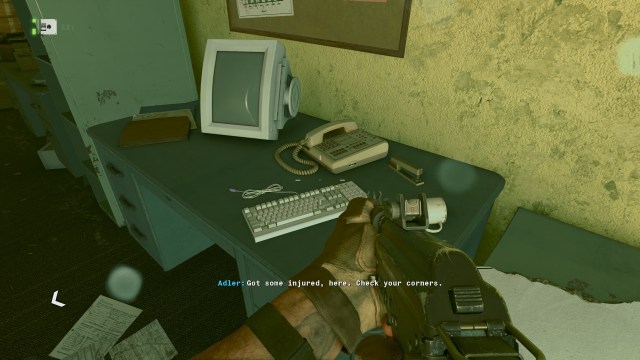
If only it weren’t for the purple connector on this keyboard cable.  C’mon, guys.

I like that this security terminal is a mash up of the Monitor ][ model that gets used everywhere in the game and the very generic PC/AT keyboard model.  Also the monitor is appropriately a green screen.  I think this may be the only time we see it with an image on it?
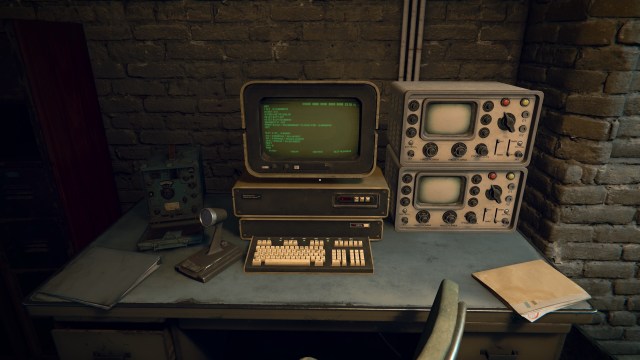
Very chunky Soviet …computer? terminal?  I dig the look.  These also only show up a few times in the game, and always where you would expect the tech to be outdated.

I really like that this little TV says “Multi System” on it, implying that it can display either PAL or NTSC signals.

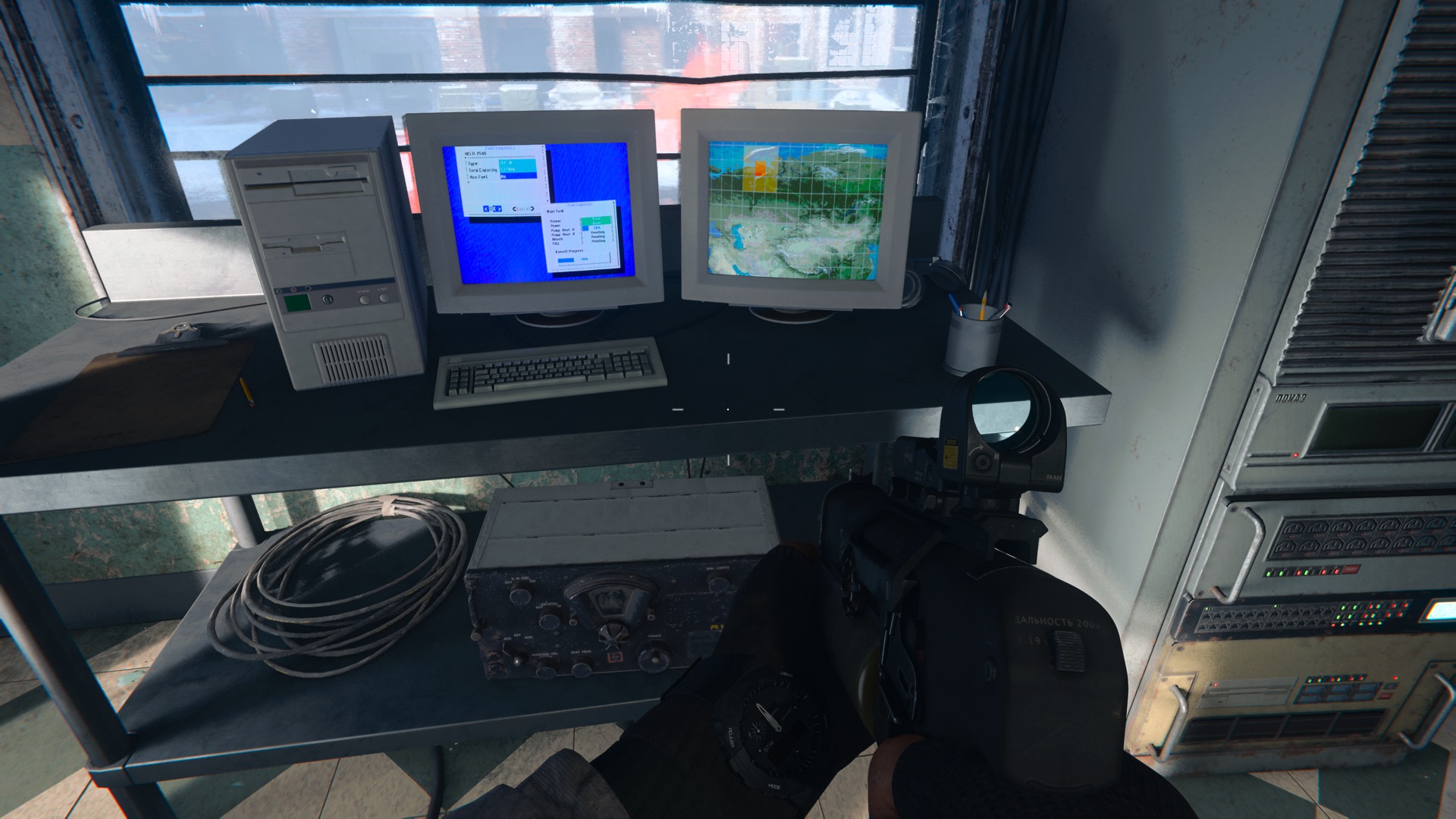
A very similar shot to an earlier one,  the monitors in your home base change what’s displayed throughout the course of the game, which is awesome.  Both of these seem to have Windows/286, I think.  I originally thought it might be GEM but that would be a very deep cut.
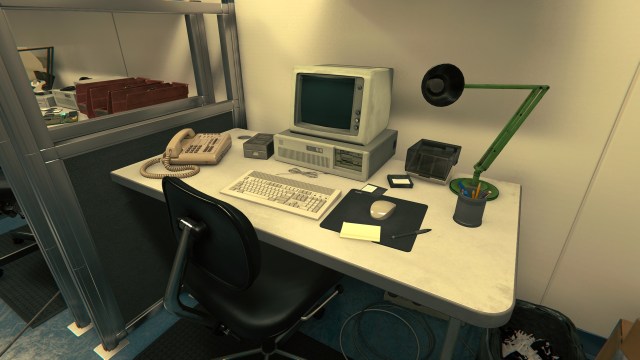
A PC/XT with an AT-style keyboard, IBM PC monitor, wireless mouse, and … a Disk ][.   Also nothing on this desk can read any of those 3.5″ floppies.
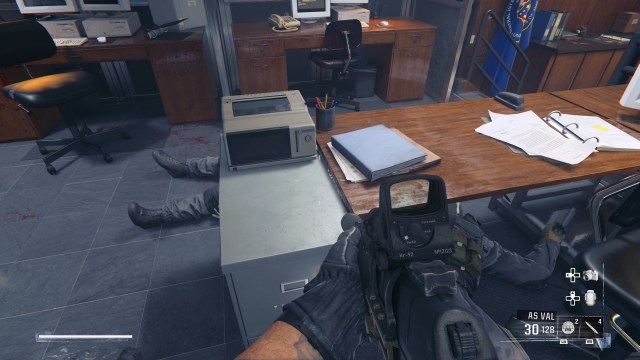
And finally, a not-quite-a-computer piece of tech. This looks to be a word processor, basically a stand-alone device that just, well, lets you type up documents, save them to the included disk drive and print them out.  Could be modeled on a system from Brother, or Magnavox, maybe Epson?  I don’t know much about these.

This doesn’t have the keyboard.  It shows up a few times and never has a keyboard attached, which doesn’t make a lot of logical sense from a functionality standpoint… but if you wanted to use it as a piece of set dressing, maybe it works better this way than if you included the keyboard.

Anyway.  As I alluded to earlier, I really liked the campaign.   It didn’t have QUITE the crazy over-the-top set pieces that you get in some CoD games, but I found myself quite fond of the little band of misfits that you control over the course of it and the occasional lapses into absolute crazy town.

Also, there is absolutely no point in this game where you are in the gunner’s seat of a C-130 providing fire support.  I’m not sure if that’s been a thing in any BLOPS games, actually, but I know it must have been a temptation to slip one in and I would just like to give a big virtual hug to whatever product manager decided that it wasn’t necessary.

 

Posted in videogames, Xbox Series X | Leave a comment

Hitherto unseen levels of procrastination

If you dig a few years back in the post archives, you’ll come across a post where I describe completing the Assassin’s Creed II platinum trophy something like seven years after finishing the game.

This was done with a mixture of shame – for taking so long to do it, when it’s one of my favorite games of all time – and pride, for gritting my teeth and relearning how to play an older AC game when they hadn’t quite gotten the formula figured out yet.

Today’s achievement is far heavier on the shame part.  There may be some pride?  Let’s talk about Green Lantern: Rise of the Manhunters, a PS3 movie tie-in game whose only real redeeming value is that it’s better than the film that inspired it.

The basic “completed the game” trophy is sitting at a pretty healthy 31.7%, so it looks like about one in four people who played this thing felt like grinding out the platinum.  That’s a pretty healthy ratio, probably helped out quite a bit because it’s not a particularly difficult game to 100%.  You need to finish it on hard mode and do some collectible gathering, but the majority of the trophies just come through the course of playing the game… assuming you switch up the powers you use occasionally, of course, since there are an awful lot of bronze trophies similar to “kill 10 mooks with the baseball bat”.

The only one that might be a hassle, all things considered, is the requirement to play at least one level of the game in co-op.  I actually did this in 2021 because I was about to sell my older PS3 and was not going to have a second controller after doing this.

So technically it’s only been three years since I played this.  But if we set that one aside, well…

I finished the game originally on March 31, 2012.   I then booted it briefly in November of 2021 to get the aforementioned co-op trophy.  Yesterday and today, I ground my way through the “Emerald Knight” difficulty, followed a guide to get the last handful of collectibles, and got a shiny virtual cup for my trouble.
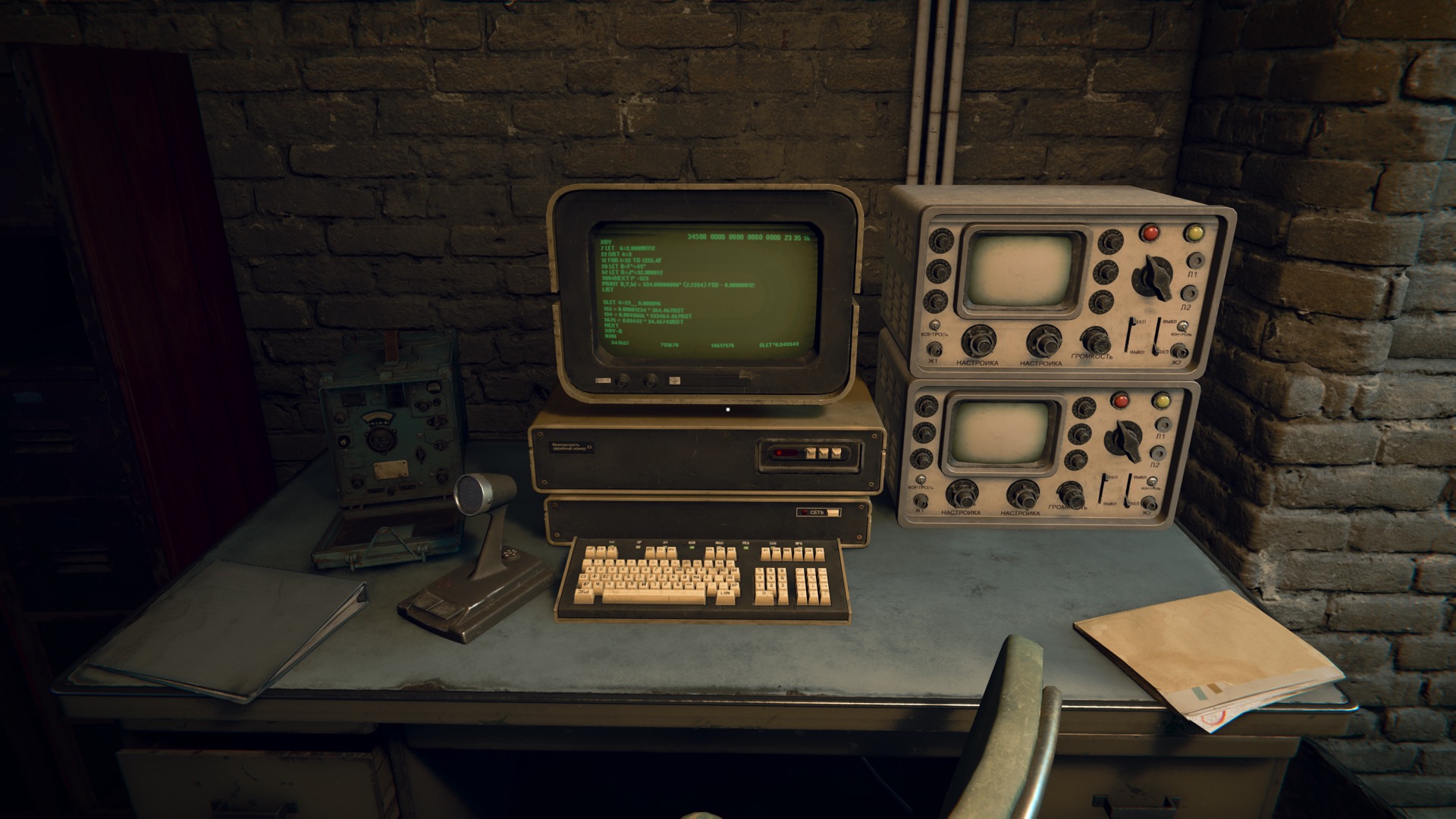
So.  12 years.  5 months.  Seven days.  I don’t think I’ll be breaking this record any time soon.

Side note, it’s wild booting up my PS3 and seeing all of the games that I must have bought on deep sales and never actually played.  I’m going to assume, for my own sanity, that the majority of them were PS+ redemptions.


Posted in ps3, videogames | Leave a comment

Two for Tuesday

After loading up the “Sofa” app with my backlog of Stuff to Play/Watch/etc, I thought I would start tackling some of the items in the list.  “Fighting games” seemed like a reasonably good place to start, since I only had two of them queued.

They could not have been more different.

The first one was the light-hearted party fighter “SNK Heroines” which features extremely simple controls, a small cast of characters swiped from various SNK titles, random items being dropped on to the play field during the fight, and the normally-extremely-masculine Terry Bogard with a bit of an image change.

There’s a story involving a parallel dimension and all of the heroines being kidnapped by a creepy villain and blah blah blah, but mostly it’s just an excuse to put characters in silly costumes and have them beat each other up.

Unfortunately I am not very well versed in SNK lore, so I could tell that there were a ton of in-jokes being thrown back and forth between the characters but not what those jokes WERE.  That detracted from it a bit.

Most of the random taunting was universal enough, I guess.

I played the Switch version.  I understand there’s a PS4 version, and I have to wonder whether it looks any better.  The Switch definitely had a bit of an early-Xbox-360 look to the models, which I guess is still impressive for a decade-old mobile chip.

Unlike most fighters, you don’t win by simply emptying your opponent’s health bar.  Rather, you need to beat them down until their health bar is flashing red and then hit them with a special attack to actually finish the round.

Special attacks draw from a second resource, which charges slowly over time and is depleted when using items or some attacks, so there were a number of embarrassing losses following rounds where I would  beat my opponent into the danger range, go to hit the “finish them!” button and… well, not finish them.  I eventually learned to manage this energy a little bit better.

Anyway, I played through the story mode a total of nine times unlocking various things and had a good time with it, once I learned that the “block” button was something you actually wanted to use.

Though seriously, the last boss in story mode cheats like a <censored for family-friendliness> and I strongly endorse knocking the difficulty down one notch for him.  You can do this on the fly from the pause menu and then ratchet it up again for your next pass through story mode.

With a little over six hours dropped into that, I felt like I’d gotten my money’s worth and decided to get on to the next game.

OK, so.  I went into BlazBlue knowing very little about it.

Full disclosure: to be honest, all I knew was that it had a cute squirrel girl.

Exhibit A:

Looking at the game’s menu, there wasn’t a button for “Squirrel!” but there were buttons for Tutorial and the usual assortment of arcade and story modes.  I figured I’d start with the tutorial, and I got my first glimpse of what I was in for.

“Novus Orbis Librarium” turned out to be one of the simpler things I had to keep track of.

After a little time in the tutorial, and feeling myself starting to glaze over, I figured I would get into the story mode and see how that went.  My reasoning was that there would probably be a number of fights and I could gauge for myself whether I needed to go back to the tutorial and practice more.

Less than five minutes into the story mode, I went looking for a pen and started taking notes.  It’s very wordy and loves to toss names and concepts at you.

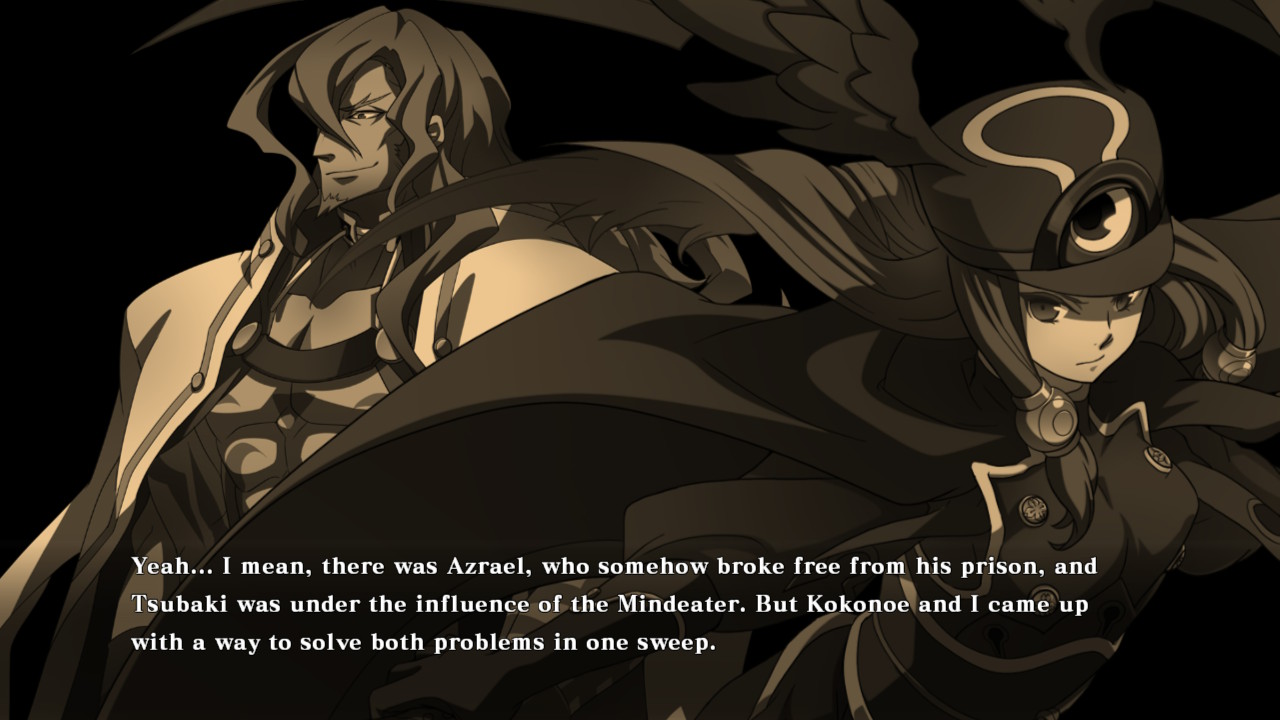
I mean, I don’t know what a Mindeater is but I can kind of get it from context.  It sounds bad!  I don’t want my mind eaten, for sure.

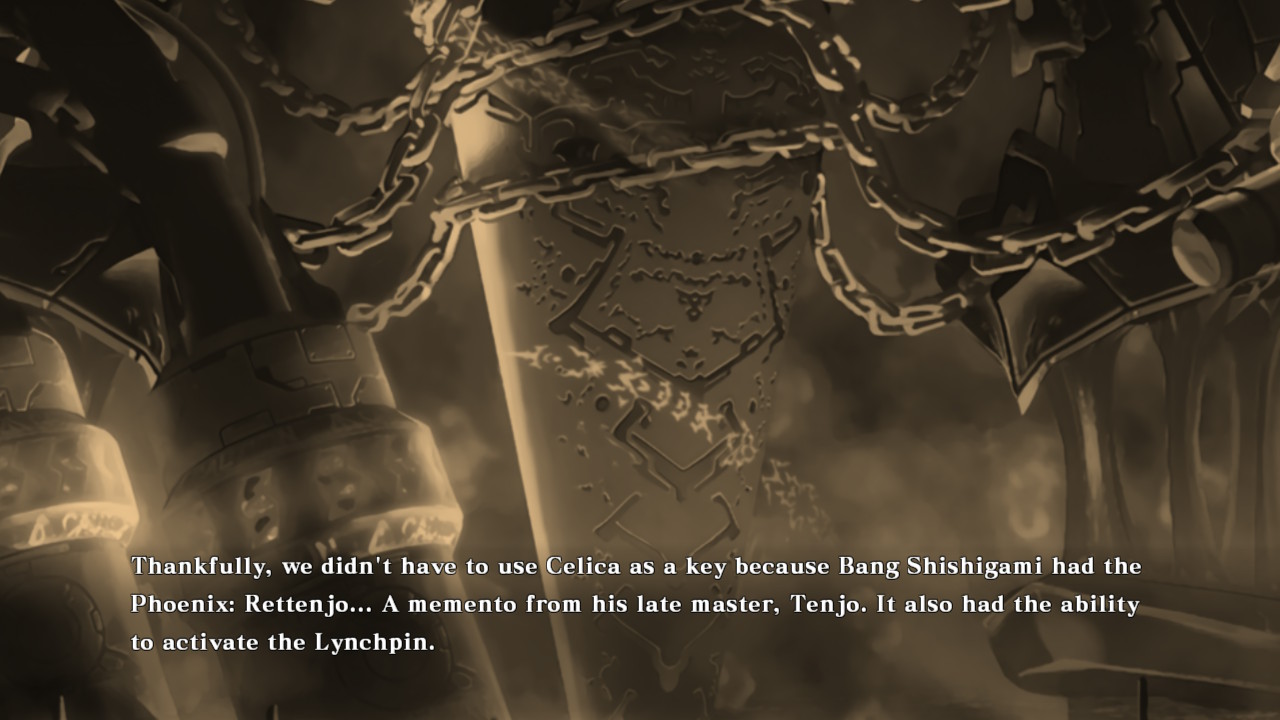
I don’t know who Bang Shishigami is and I don’t know what a Phoenix: Rettenjo is.  More about this later.

My eyes were seriously glazing over at this point.  I hit the start button and saw that it had an option to save my progress, and that let me know how far I was in the story mode.

I was in chapter 8.  A quick google revealed that the game has 100 chapters of mostly text, with an ample number of side stories.  Estimates for how long it would take you to read were typically in the 20 hour range.

That is a lot of reading.  I dropped out of the story mode and went into the arcade mode.  By this point I just wanted to get my squirrel girl action on.

I got utterly demolished in the first fight.  I went to the options menu.  I turned the game to “Easy” and went back into arcade, where the first opponent again showed me the error of my ways.  Like, no pity.  I got absolutely bodied.  I think I landed a single hit on them.

I went back into the options menu and discovered that there was an option below easy AND that you could set the game’s controls to “Stylish” mode which is a bit of a euphemism for “mash A and your character will do a massive combo”

THIS combination of options was great!  I mashed my way through the 8 fights in Makoto’s story mode, and then noticed that there were chapters two and three of her story mode and then multiplied that by the number of fighters on the character select screen… and that’s about when I just gave up and took the game card out of the Switch and went back to Google to find out a little more about BlazBlue.

It turns out that what I’m playing is the fourth game in the series, and that there are all kinds of novels and manga and drama CDs and all of the games have long visual novel components to them and and and…

Look, I’m not proud.  BlazBlue broke me.   If I ever meet someone who is a die hard fan of the game series, I am going to drop to my knees and praise their obvious commitment.  I may even ask them if they can tell me who Bang Shishigami is, if I have a couple hours to spare.

I’m just glad I broke my “no physical media” rule guideline here.  I’ll get a little bit of money back and someone else will get to enjoy this insanity.


Posted in Switch, videogames | Leave a comment

Sofa: So good.

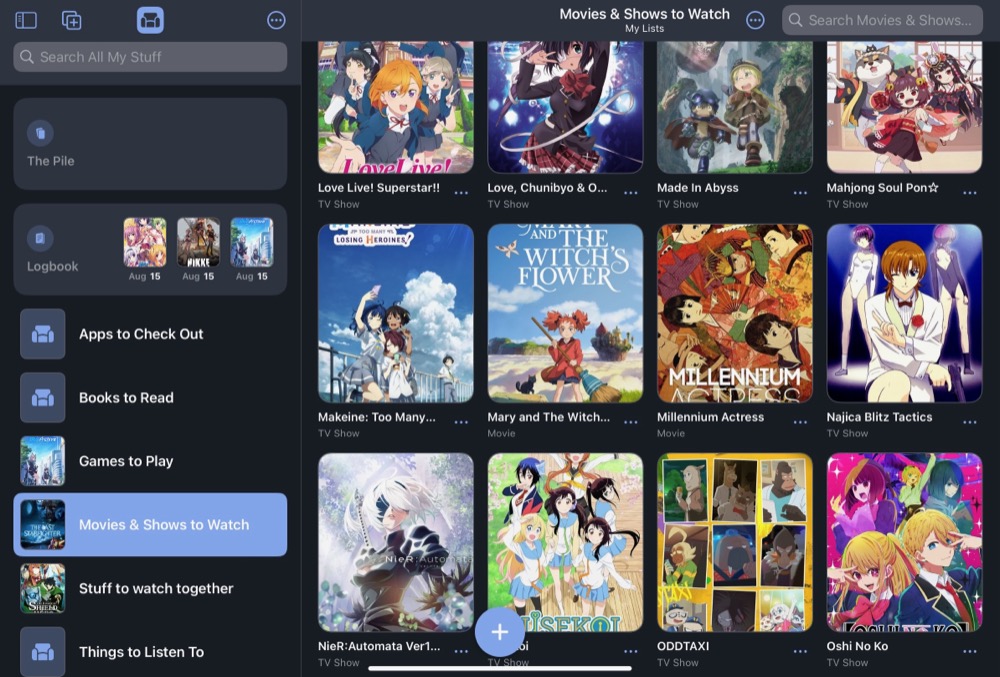
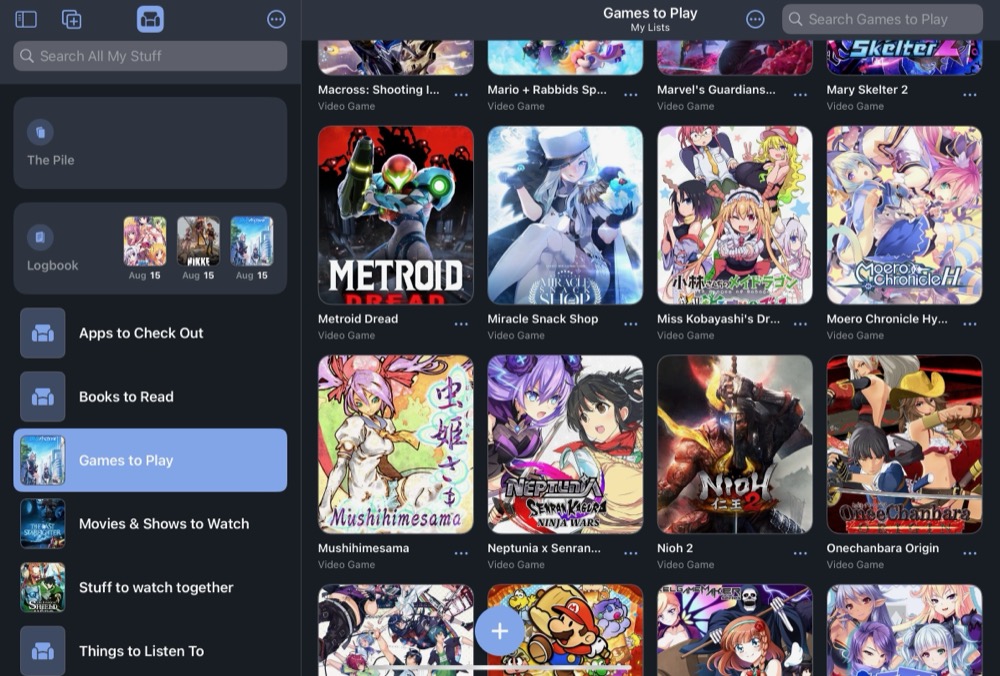
For a while now, my wife has been suggesting I try out an app called Sofa, which is a …collection management app? Maybe that’s not the right term.  The author calls it a “downtime organizer”, and it’s a tool to let you… slack off in the most optimized fashion?  Does that seem wrong to anyone else?

Anyway, I had put it on the deep back burner of things I should look into when I got some time, and then I got hit by a massive RIF and suddenly I have nothing but time.

So I finally downloaded it, and it’s pretty peak.

It’s a one-man effort that somehow still manages to give you a fully cross-platform application (iPhone, iPad, Mac and apparently even Vision Pro) that, well, lets you make lists of stuff you want to do when you have free time and a log book to let you know when you’ve done the stuff you wanted to do.

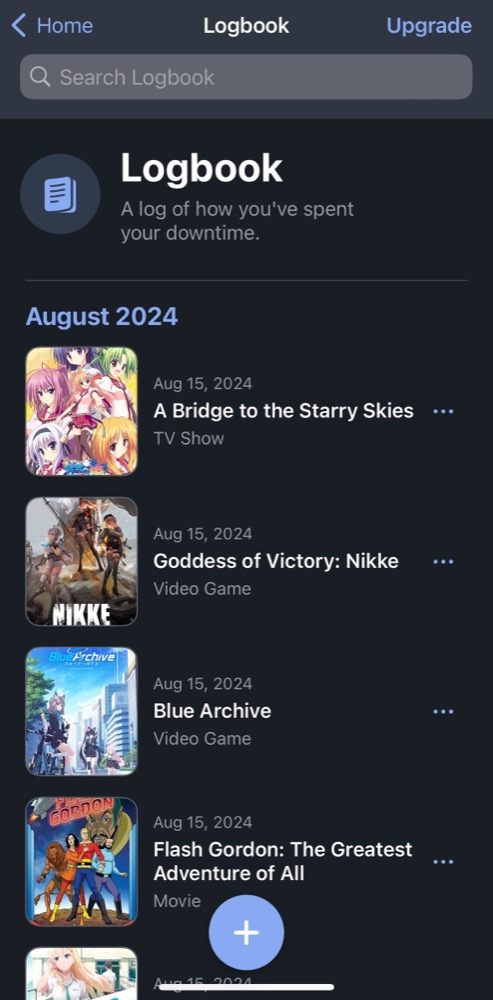
It’s been a pretty busy day of goofing off.

My only real gripe about the logbook is that I haven’t found a way to say, for example, which episodes of a given program I’ve watched.  I just have to say “I watched some of this” and rely on Crunchyroll to know where I left off.  Which is fine, I suppose.

This is OK, but not crazy great.  Where it gets good is when you start filling up your lists of “I want to play / watch / read / listen to / check out”, because the database this pulls from is pretty amazing.  Like, I have some pretty weird stuff on my backlog and Sofa found almost all of it and built these great visual shelves for me to scroll through.

Like, one of the things I was looking up was “Densha de go” and the search results were like, “which of these twenty different versions of DDG do you mean?”

I haven’t started populating the other shelves yet, so I’m not certain how good the databases are for books, music, and apps… but I’m pretty confident that they’ll serve me just as well.

My only complaint is that the premium features of the app are locked behind a subscription, rather than letting me pay outright.  Still, the free version seems to do everything I want so far and the subscription seems pretty inexpensive if I outgrow it.


Posted in iOS, organization | Leave a comment

Man Vs. MKV IV: The Quest for Peace

It’s been a while since I had to face off against my favorite nemesis – the MKV file. Specifically, the sort of MKV files that come out of well-intentioned anime distributors and that make my life hard when what I really want to do is stream them to an Apple TV using the built-in “Computers” app.

This app is firmly grounded in “so all of your media is perfectly legitimate, RIGHT?” and only plays a very small subset of the kinds of video files that are out there. No MKV containers, no obscure codecs, certainly no support for soft subtitles.

To make this work, I need h.264 or possibly h.265 video and aac or AC-3 audio in an mp4 or m4v container and any subtitles need to be burned into the video, and since the average anime release these days is something like “AV1 video and opus-encoded audio with seven different subtitle languages”, this typically means loading up a folder of files in Handbrake and manually choosing language and subtitle options for every episode before pushing the “start queue” button and walking away.

(Yes, technically I could run VLC or DS video on the ATV, but then I wouldn’t see content I had purchased from iTunes in the same place as the less-reputable content)

And, I mean, manually processing a folder of video files in Handbrake works. It’s a really solid encoder and I have been using it for years. It’s pretty much muscle memory by this point.

On the other hand, my workflow here is a bit labor-intensive. There’s a lot of setting options on a per-episode basis and real potential for human error on my part. It would be better if I could throw the whole folder at the CLI version of Handbrake, like this, and this DOES work – but it’s quite fragile. It always uses the first audio track and first subtitle track:

#!/bin/bash
mkdir out
for filename in *.mkv
do

	filenamenoext=${filename%.*} 
	handbrakecli -i "$filenamenoext".mkv -o out/"$filenamenoext".mp4 -Z "Apple 1080p60 Surround" --subtitle 1 --subtitle-burned --crop-mode none

done	

(As always, my scripts come with no guarantees. Use at own risk)

For those cases where you have video files and external srt-format subs, and assuming that the srt files are in the same folder and have the same name as the video files, you can use something like this:

handbrakecli -i "$filenamenoext".mkv --srt-file "$filenamenoext".srt -o out/"$filenamenoext".mp4 -Z "Apple 1080p60 Surround" --subtitle 1 --subtitle-burned --crop-mode none

As a side note, I’m using the “Apple 1080p60 Surround” preset here because it gives me a highly-compatible video file and does it reasonably quickly. Using the “Apple 2160p60 4K HEVC Surround” preset would give me a file that is consistently at least 30% smaller but also takes four times as long to encode.

So, in order to get good output from simple conversion script like this, I need to make sure that the input is good. That is to say, it needs an mkv file where the first audio and subtitle tracks are the ones I want… which is not often the case. It’s very common for mkv files to have the first audio track be the English dub and the first subtitle track be the “Signs and Songs” subtitle track.

I had a very judgmental comment here about dub fans, but I have omitted it in the interest of world peace.

I have, however, been lazy enough to not really delve into this too much.

Recently, however, I was presented with an interesting set of video files that had Japanese, Spanish, and Catalan dubs, along with several different English and non-English subtitle options, and this got me interested in digging into how ffmpeg can work with content streams – based on the metadata associated with the streams, rather than just their index in the file.

My first attempt looked something like this:

ffmpeg -i infile.mkv -codec:a:m:title:Japanese copy -vcodec copy -codec:s:m:title:English copy outfile.mkv

This actually worked quite well. It produced an output file with the original video, the Japanese audio track, and only those subtitle tracks with a title of “English”. I didn’t realize at this point that the “title” metadata was separate from the “language” metadata, so the only reason this was working was because my command matched the titles for these audio and subtitle tracks.

What didn’t work well is that mkv files can have attached fonts, and this command doesn’t copy the fonts. So the subtitles that referenced the fonts in the original mkv file just rendered in the default Handbrake font. This needed tweaking.

After some digging, it appears that the only way to get ffmpeg to copy attachments from input file to output file is to use the -map option, specifically “-map 0″to tell it to copy everything from the input file followed by a number of “-map -0” commands to tell ffmpeg which to drop. This gets interesting fast.

The command that did the trick for these specific files wound up looking like this, but made me wondering if there wasn’t a better way to accomplish it.

ffmpeg -i file.mkv -map 0 -map -0:m:title:"Catalan" -map -0:m:title:"Spanish 1" -map -0:m:title:"Spanish 2" -map -0:m:title:"Spanish 3" -map -0:m:title:"CrabSubs" -c copy outfile.mkv

Note that this worked because both audio and subtitle streams had a title set to the language. I was still working off the title field without realizing that there was a better way to do things. Also, “-c copy” was necessary because otherwise ffmpeg wants to re-encode all of the streams and this dies because of subtitles. We don’t want it to re-encode regardless, but even if I had wanted to it would not be possible with a subtitle track present.

After a bit more experimenting, I came up with this ffmpeg command that gives me only Japanese language audio and English language subtitles, ASSUMING that the audio and subtitle streams are correctly flagged for language:

ffmpeg -i infile.mkv -map 0 -map -0:a -map -0:s -map 0:s:m:language:eng -map 0:a:m:language:jpn -c copy outfile.mkv

Let’s break this down:

-map 0 : include everything from the original file.  Streams and attachments (fonts)

-map -0:a : don’t include any audio tracks

-map -0:s : don’t include any subtitle tracks

-map 0:s:m:language:eng : do include any subtitle tracks with language eng

-map 0:a:m:language:jpn : do include any audio tracks with language jpn

-c copy : copy all streams, don’t re-encode.

This is almost perfect. It’s dependent on the original muxer to flag their streams properly, but this is often the case. The only problem is that you get ALL English subtitle tracks, including the “Signs and Songs” track which is often the first subtitle track. In this case I got around it with a two pass method.

ffmpeg -i outfile.mkv -map 0 -map -0:s -map 0:s:m:title:Dialogue -c copy outfile2.mkv

This just takes the output from the first command and applies these rules to it before writing it out to a new output file:

-map 0 : include everything from the original file.  Streams and attachments (fonts)

-map -0:s : don’t include any subtitle tracks

-map 0:s:m:title:Dialogue : do include any subtitle tracks where the “title” field is “Dialogue”

-c copy : copy all streams, don’t re-encode.

There’s almost certainly a better way to do this. “map” commands are evaluated sequentially so there is probably a sequence to put these in which would do it in one pass. Sadly,

-map 0:s:m:language:jpn:m:title:Dialogue

…does not work. You can’t specify two metadata comparisons in a single map command.

If you don’t want to go to the effort of massaging the input file TOO much, you can always just specify the subtitle track to use when crafting your HandbrakeCLI command line:

handbrakecli -i file.mkv -o file.mp4 -Z "Apple 1080p60 Surround" --subtitle 2 --subtitle-burned --crop-mode none

Anyway, I ended my latest exploration of ffmpeg feeling slightly more accomplished. I even whipped up a little script to handle the .webm files that my PS5 likes to generate when I do screen recordings:

#!/bin/bash
mkdir out
for filename in *.webm
do

	filenamenoext=${filename%.*} 
	handbrakecli -i "$filenamenoext".webm -o out/"$filenamenoext".mp4 -Z "Apple 1080p60 Surround" --crop-mode none	
done	

Posted in organization, video encoding | Leave a comment

I played some more Fire Emblem

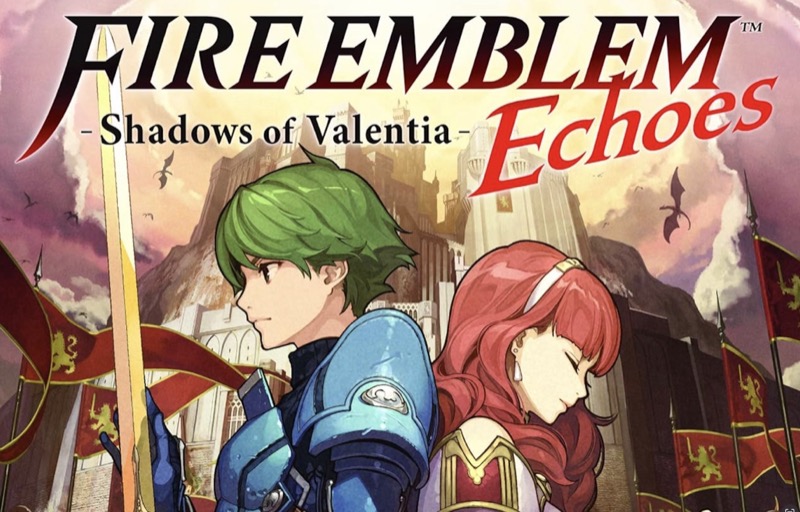
I think that title is read as “Fire Emblem Echoes: Shadows of Valentia” but I guess it’s possible that “Echoes” goes at the end.  If I had the box it might be more clear, but I bought it off the 3DS eShop in the last few days before that service closed down.  We’ll just go with “SoV” and ignore the whole question.

Anyway.  SoV was the last of the 3DS Fire Emblem titles to be released, and probably one of the last Nintendo-published 3DS titles inasmuch as it was released a month and a half after the Switch launched, and it’s taken me a while to get around to finishing it.  I’ve put in several bursts of playtime whenever I’ve had an occasion to travel anywhere, but with no upcoming trips planned I figured I should just buckle down and play it at home.

Took about 42 hours spread over a year and a half, all told.

So with that rambling and frankly unnecessary preamble out of the way, let’s move on to Opinions.  SoV is, as I understand it, a remake of a Super Famicom title with a few tweaks to make it slightly less punishing – in particular, it has the “Casual” play style option popularized with Fire Emblem: Awakening, in which you don’t actually lose units upon death.  Because it’s technically an older game, it doesn’t have the same sort of emphasis on relationship building and smushing your units together like your sister’s Barbie dolls until a kid pops out, and it’s missing the rock-paper-scissors mechanic of the Weapon Triangle and a few other things I’d come to expect from a FE game.

I still managed to have fun with it, though at one point I had to go groveling to an FE message board to review the units I was using and their levels and gear and ask them why everything was hurting so much.  It turned out that I wasn’t grinding enough levels and not upgrading my weapons, which were very useful and valid critiques that I was able to correct.  I still had one late-game battle stomp me into goo three times before I emerged victorious, but that was very much a question of how I was deploying and using units.

Which is kind of the point of a tactical RPG? Like, fundamentally?

One thing that is unique to SoV is the presence of a few free-roaming dungeons which let you wander around a 3D map and break crates open for treasure and pick fights with roaming monsters.  Monsters in these respawn, so it’s much easier to grind than in other FE games, and some of them get properly labyrinthine and will absolutely get you lost.  Much love for these.

Also, while the relationship building aspect really isn’t there, the characters are still fun.  It’s probably a good thing I couldn’t ACTUALLY pair the male lead up with Faye, here, but I was rooting for her the entire time.

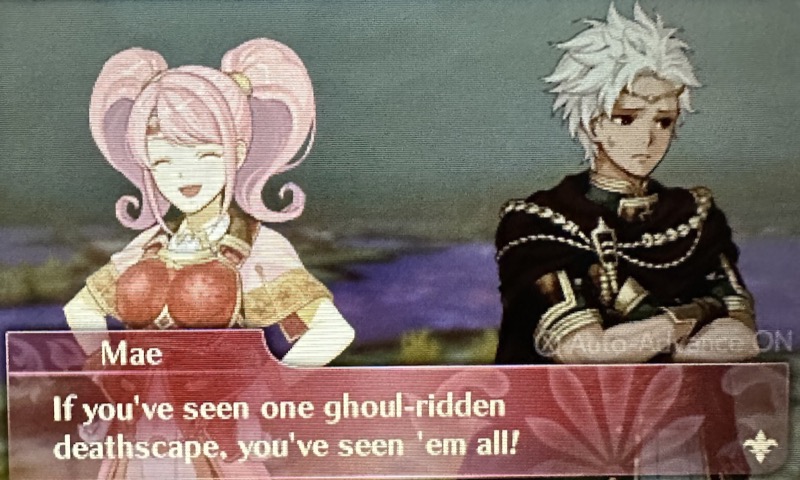
I also rather enjoyed this bit of dialogue, from a later part of the game that featured a lot of battles in poisonous swamps which combined the two LOVELY design decisions of “swamps slow you down so you can’t move through swamp tiles quickly” and “swamp tiles damage your units every turn.”

Thankfully, swamps were very rare after this bit.

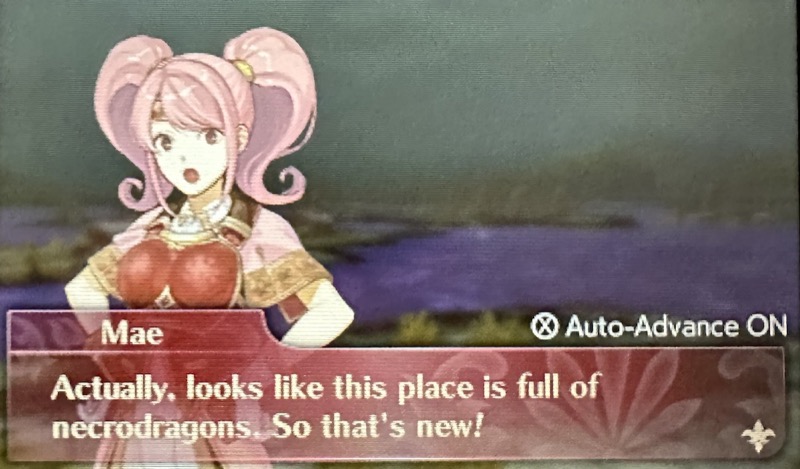
Anyway.  Of the Fire Emblems I’ve played – which isn’t many – I would probably put it as better than “Shadow Dragon”, the Nintendo DS remake of the first game but worlds below Awakening and Fates.

I own both Three Houses and Engage, so I’ll be jumping into one of those the next time I feel like some turn-based tactical combat.  Hopefully it will take me less than a year and a half to finish whichever one it turns out to be.

Also I’ll presumably be able to get proper screenshots instead of relying on my mobile phone camera.  That will be nice.


Posted in 3DS, videogames | Leave a comment

The Evil(?) is defeated

OK, so.  This is really just a post I’m putting up so I can find it later when I’ve forgotten how to do something.  But sometimes these might be useful to people who aren’t me!  I hope, anyway.

Today’s post is on the topic of .webp images.  Logically, webp is a great format!  It offers both lossy and non-lossy formats and is much more efficient than either png or jpg.  It’s a win-win!  But it’s also really annoying to work with since support for it isn’t universal outside of web browsers, and  I save images from the web intending to work with them in another application.

Hence today’s post, in which I fix this by (a) creating a small shell script:


#!/bin/bash
#
# fixwebp - automatically converts any webp files in ~/Downloads to .png
#

	cd ~/Downloads
	for filename in [ *.WEBP *.webp ] 
	do

	filenamenoext=${filename%.*} 
	if [ -f "$filenamenoext".WEBP ];
	then
		sips -s format png "$filenamenoext".WEBP --out "$filenamenoext".png
		touch -r "${filename}" "$filenamenoext".png
			rm "$filenamenoext".WEBP
	fi
	if [ -f "$filenamenoext".webp ];
	then
		sips -s format png "$filenamenoext".webp --out "$filenamenoext".png
		touch -r "${filename}" "$filenamenoext".png
			rm "$filenamenoext".webp
	fi

	
	done	

And (b) assigning this to run whenever files are added to ~/Downloads via an Automator action.

The result is that, any time I download a .webp file, it is cheerfully converted to .png and the .webp file is purged.  This often results in a file which is considerably larger than the .webp version, so there is definitely something to the format’s claims of efficiency, but drive space is cheap and always getting cheaper so I am not going to care much.


Posted in organization, shell scripts | Leave a comment

Now, for something completely cozy.

While it’s a pretty shameful thing to admit, I’m getting some more gaming time in after being laid off last month.  I SHOULD be, you know, working on my resume and hitting the bricks… but the severance package was quite generous and I think I have earned some time to chip away at the backlog.

That brings me to Tasomachi.  It’s a short (5ish hours for me, and I am bad at the genre) puzzle platformer that came out like two years ago and has coincidentally been sitting in my Steam library for about two years based solely on screenshots.

I understand there’s a Switch version now, too? And maybe some versions for other consoles? Anyway, it should be pretty easy to find a way to play it.  And I do recommend playing it if you like things that are …well, cozy.  Tasomachi is very cozy.

The gist of the story, if you need a story in your platformers, is that you are roaming the skies on your airship-built-for-one when you run into mechanical trouble and land in a weird town where all of the people are gone and there are little cat dudes that need your help.

Naturally you cannot resist the commands of the little fuzzballs – and also they are the only people who can fix your ride and get you out of there – so you are sent off to collect at least one hundred and fifty glowing orange doohickies which will save everyone and blah blah blah just get out there and start collecting.

These are typically in very high places.  Fortunately you cannot die from fall damage.  You do, of course, die the second you touch water.  This is blatant cat propaganda at its worst, but we will forgive it and move on.

There are three major zones, you have to complete tasks to open up new parts of the zones, occasionally you will get given a new platforming skill that lets you reach orange doohickies you couldn’t get to before.  All very normal stuff.

Also, after you collect the 150 mandatory glowing orange doohickies there are still like 90 or so that you can go back for if you feel like being a completionist.  So you could probably double your playtime if you felt you didn’t get enough value for money.

I felt like I’d gotten my money’s worth from one pass.  It’s a really pretty world to run around in, and while I’m very bad at this sort of game the penalty for dying is very minimal so I never got too frustrated.

Also the cats will sell you new outfits.  I’m a sucker for getting to play dress up.  Cozy vibes intensify.

It’s not a perfect game – the platforming is weirdly floaty in places and I had a number of deaths that I do not consider to have been 100% my fault even if I WAS the person in control of the combination of buttons and stick movements that lead to my death… but it was a good use of an evening.


Posted in Uncategorized | Leave a comment

Elden Ring: OK, time for blasphemy.

I finished* Elden Ring today.  That’s “Finished*” with a big ol’ Roger-Maris-61* style asterisk, because after about four hours of hoping the final boss would get tired of bruising his knuckles with my face I finally gave up and summoned another player to help me get over the last hurdle.

I probably would have stuck with it until I got gud enough on my own, if From hadn’t decided to make the last fight a two-parter where the first boss dies easy but does enough damage that you go through several charges of Estus Crimson Tears before the second boss comes out and spends most of its time running away from you and killing you with ranged attacks.  But, sadly, getting gud enough just didn’t seem to be in the cards and I was getting tired of the hourly reminders from my watch telling me to stand up and, you know, move around just a little bit.

Anyway.  I have confessed my cardinal sin, and now I’ll move right on to the blasphemy:  Of the six From Software souls-and-souls-like games I’ve played, I would 100% play any of the other five again before even thinking about starting Elden Ring a second time.  It’s just too dang big, and in a way that seriously dampens down the fun factor.  The first twenty hours or so, when you’re just getting established and exploring and accidentally taking portals to places you should not be and meeting other people for jolly co-operation, those are great.  And the last twenty hours, after you finally get into Leyndell and discover this massive sprawling maze of a dungeon/city with really cool bosses, those are great too.

Unfortunately, I played for about 80 hours, and the middle 40 hours were spent mostly picking the game up again every few months, trying to figure out where to go next, killing a boss or two and then putting it down with a vague sense that I was just playing because I’d paid full price for the game and SHOULD be loving it.  It took me like 2 and a half years to finish.

A lot of that time and frustration can be attributed to a specific, very inconspicuous ladder.  I got to the Atlas Plateau, ran into an obviously broken bridge, couldn’t find any way to get across it, assumed it was a dead end, and then spent hours roaming the map looking for an alternate way to get to the other side of the chasm.  I confess I am harboring some unkind thoughts towards whoever decided to make it blend in to the cliff face so very nicely.

Frustration with that and with the final boss fight aside, I’m not calling it a bad game.  For one thing, I don’t actually want to look out my window and see a mob with torches and pitchforks, and for another it’s an absolutely brilliant piece of work.  It definitely earned every one of those awards it racked up in 2022.  For me, though, I think I’m definitely a fan of From’s earlier and more linear experiences.

I did wind up marrying a blue chick with four arms.  I think we got married, anyway.  I’m not sure I had much choice in the matter.  10/10 would recommend for that.

Posted in Souls, videogames, Xbox Series X | Leave a comment

Let’s (not?) Get Physical.

A few years ago – like, maybe 2017, 2018? – I decided that I was done with physical media.  Games, books, movies, music, you name it, it was going to be ephemeral digital downloads from now on.  No more shelves and shelves of STUFF to keep track of and keep the dust off of.

And I’ve (mostly) stuck to this, even at the expense of, well, expense.  Buying digital is often more expensive than physical, though things like iTunes or Kindle sales can help a lot if you don’t mind waiting a few months after the release date.

I did keep exactly two (2) blu-rays.  AnimEigo’s release of “Otaku no Video” and a region B import of “Super Mario Brothers: The Movie”, both of which are foundational to building the person I am today.

I’ve been happy!   Or, well, have I?  For a few months there, twitter was feeding me tweet after tweet from people on the other side of the physical/digital divide, especially around the time Funimation decided to stop their streaming service and basically render inert all of the digital copy codes they had been inserting into their disc packages.

So, faced with the notion that I might have, in fact, been wrong, I decided to buy some discs.  And wow, at first this was looking like a winner.

Boosting my Blu-ray collection from 2 discs to 9 didn’t take that much more space on the shelf.  I wound up with six seasons of anime and a movie, none of which were more than like, 12 bucks.  That’s really cheap!

Also, I don’t think a proper (subtitled) season one of High School DxD was ever released for purchase on any digital service, and there are conflicting reports on whether seasons 2 and 3 on iTunes have the annoying overlays.

So, strong points for physical: cheap, better language options, uncensored.

They even came with these code sheets, which were already just garbo to throw in the recycle bin.

Note: the digital code with “Legion of Super-Heroes” redeemed just fine via MoviesAnywhere, so I have it on iTunes now.  It was cheaper than buying the digital version, though I only got a 1080P version.  Buying directly on iTunes would have given me 4k.

After a few more months, and a trip or two to Japan, I had another stack.

Thanks to the end of year sale at The Company Formerly Known As AD Vision, and a couple very cheap purchases from Book-Off, I now had 14 Blu-rays and a couple DVDs.  Again, not a lot of money spent but a whole lot of hours of entertainment gained.

…but the shelf space was starting to get a little bit tight.  It certainly didn’t help that my other vice was picking up physical copies of Switch games, especially because the Yen exchange rate meant that buying a new-release game from Japan was like $35 compared to $60 for the same game in the US.

I’ll play some of these someday.

Also, the experience of watching a disc wasn’t… great?  Like, if you just want to sit down and watch a movie from start to finish it’s fine, or if you want to binge-watch a show it’s also fine.  But I was watching a couple episodes of Aura Battler Dunbine every day and it was kind of a pain to get the disc, boot the player, sit through the unskippable intros, change the language, blah blah blah.

It also didn’t look appreciably better.  I mean, my eyes are getting old along with the rest of me, but streaming purchased movies look pretty good, and iTunes even lets you download a local copy to play back and those look fine as well.

I mean, they knock the pants off Crunchyroll streams, especially with the way that service likes to mysteriously drop down to SD or sub-SD quality at times.  But comparing them to the quality of a stream from Microsoft Movies & TV or iTunes, not so much.

I recognize here that I am somewhat on the privileged side as I have near-gigabit connectivity and no data cap.

Also, I would have liked to purchase season 4 of DxD… but it was out of print in the US, meaning collector markups.

There are plenty of cheaper copies available on Amazon and eBay, but they’re region-locked and require a region B player.  By contrast, it was available on iTunes with subtitles and without overlays for like 20 bucks.

That isn’t to say that digital is immune to suddenly becoming unavailable.  I keep waiting for a sale on To Love-Ru on iTunes, and it was delisted before it hit my impulse buy point, as an example, and you can no longer buy the original “Love Live!” series even though Sunshine and later remain available.

Fortunately, anything ‘ve already bought – even if delisted – is still available to download and stream, which is one benefit of buying from a major company like Apple.  They really need you to keep buying their media consumption devices, so making sure that you can feel confident in the media you buy from them is in their best interest.

…of course, I would have said the same thing about Sony and they put a figurative bullet through the metaphorical head of THEIR movie service, so who knows.

That’s another plus for physical.  Out-of-print discs remain (generally) available, even if you do have to pay more for them.  Once a company delists a title digitally you have the options of, well, (a) not buying it or (b) not buying it and just finding a torrent.

In the end, I’ve just finished a kind of annoying process of putting all of these BDs through MakeMKV, and then through Handbrake, and they’re up on our NAS now so we can stream them to any TV in the house.  I just need to keep track of the files, and make sure they’re backed up, and the ripping and encoding took ages, and really I’ve added a little more complexity to my life.

It was an interesting experiment, but I probably won’t buy more discs.  Or if I do, it will be with the understanding that I’m only buying them as an intermediate step before making them into folders of m4v files.

I’ll keep the Switch games, though.  The spines are a pleasant bit of uniformity on the shelf, and knowing the Nintendo Faithful I will be able to unload them for (more than) a few bucks in the future.


Posted in anime, organization | Leave a comment