Time Capsule Password Fun

One of the reasons I have an awful lot of Apple hardware around the house is that it generally works without too much hassle.

Of course, the counterpoint to that is that when it isn’t working, it’s a right pain in the rear end.

Anyway, I noticed earlier today that my sixish-years-old Time Capsule / router wasn’t serving any wireless clients.  I think this has actually been an issue for a while, but they’d all quietly migrated to the WAP in a different room of the house so it had been a pretty quiet failure.  Rebooting the router got me wireless back, but now it wouldn’t pick up an internet connection from the cable modem for some reason.

Eventually, after I’d unplugged and replugged everything a few times, I had an internet connection and wireless clients and everything seemed more-or-less stable… but it also seemed like a good time to get a more modern router.

So I bought a new Time Capsule (“more modern” is relative), and I hooked it up, and for a while it seemed like it was going to be a simple fire-and-forget thing.

Five minutes later, it disappeared from the Airport Utility window and I couldn’t get it back.  I also couldn’t log in to it using the “Other Connections…” option in Airport Utility – that just gave me password failure errors.

It turns out that the router not showing up is known issue related to having a Back to My Mac username and password entered in the TC settings.  The password failure errors were… well, I assumed I’d typed it in wrong.  I later learned that this was not the case.

One of the handy things about the Time Capsule is that you can soft-reset it, which lets you log in with the default password of “public” for the next five minutes.  So I was able to get in and remove the Back to My Mac username, re-enter my device password, etc – and after a little more unplugging and replugging of devices, I seemed to have my network up and running again.

Then I went to set up Time Machine on one of the computers here, and IT kept giving me password failure errors as well.

Let me save you some tedious troubleshooting that followed, and give you the tl;dr version:

The Device Password for a Time Capsule defaults to your WPA key.  My WPA key is 35 characters, by the way.

The maximum length for a Time Capsule device password is 32 characters.  If you have a password over 32 characters, any excess characters are dropped.  The truncated password is then written to your Mac’s keychain, so logging into the device from that Mac will always work.

When trying to log in to the Time Capsule manually – either from the “Other Connections…” option in AU or when entering the device password in Time Machine – the extra characters are NOT truncated, so the entire 35-character password was passed to the Time Capsule, which looked at it and threw back a mismatch.  Because they didn’t match.

I don’t have enough hair to go pulling it out in frustration, but if I COULD get a grip on it, there would be huge tufts scattered around my desk chair right now.


Posted in mac | Leave a comment

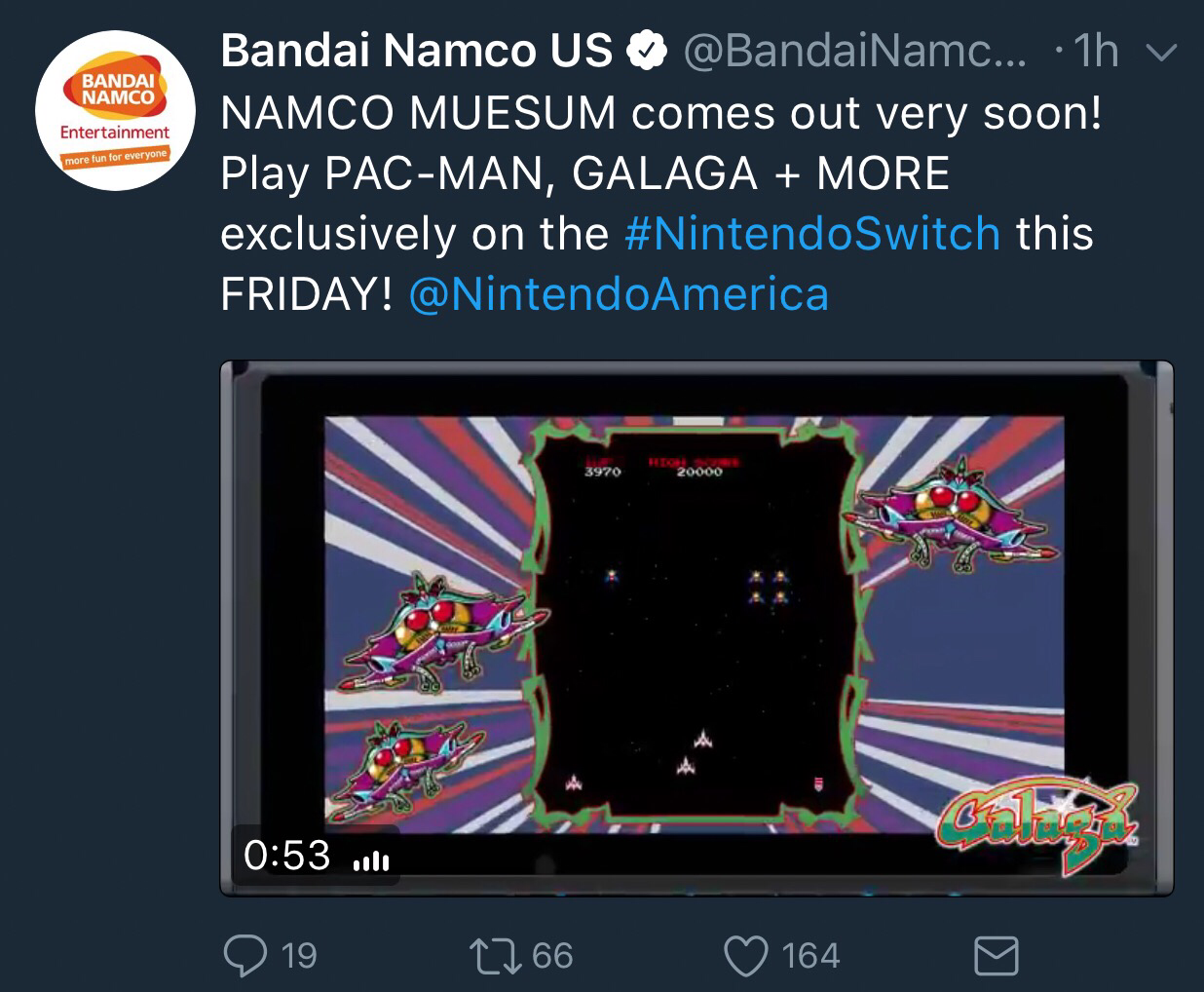
I’m not sure that word means what you think it means. 

…though, to be fair, there are so many kinds of “exclusive” these days that I may just not understand the particular way in which Galaga on a Switch is different from Galaga on any of the other systems I have played Galaga on over the years. 

Also: “Museum”

You know what I want? Klax. I don’t think Klax has shown up on an arcade game compilation since the PSP. I can probably emulate it on a watch by now, but I’d pay for a console port. 

Posted in videogames | Leave a comment

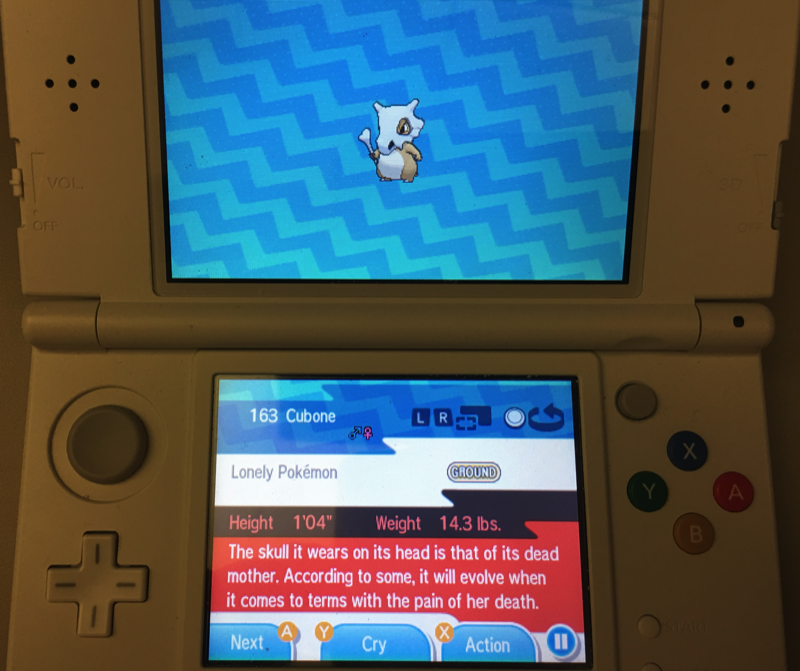
This is for kids, right?

Oh hey, it’s a Pokémon with a bone, guy looks like he came out of the Flintstones.  Cute!

Wait, what?

WHAT

What in the actual hell, Nintendo?

I have no previous exposure to Pokémon outside of seeing the first half-dozen episodes of the anime, but – cock-fighting jokes aside – I did not expect that it actually got quite this dark.

In less grim news, welcome to a newly ad-free baudattitude.  WordPress used to charge $100 a year to remove ads for visitors, and that always struck me as a little nuts.  I’m not making any money off this thing and I get 50 or fewer visitors a day on average, after all.

Turns out, they changed it to about 16 bucks a year to have an ad-free site.  I can swing that a little more easily.

Posted in 3DS, random, videogames | 1 Comment

Getting Swole with Idols

I have some things coming up next month that are going to leave absolutely zero time for games, so I have been ignoring virtually every other project on my “to-do” list in favor of trying to finish Tokyo Mirage Sessions#FE.

It’s kind of embarrassing, because I was getting so much yard work done earlier this summer and I have a Raspberry Pi project that I was full-steam ahead on for a while, and putting a video game ahead of both of those is really hard to justify.  I excuse it because it is a heavily story-driven game and I don’t want to take a couple of weeks off from it and be in a situation where I have to remember exactly where I was and what I was doing.

In retrospect, I really should not have started a 60+ hour JRPG when I did, but it was my last WiiU game and I thought I could power through the main story and keep from getting too distracted by side quests etc.  I was wrong, of course…

It turns out that the “side quests” in TMS#FE aren’t “side quests” by the typical definition.  You CAN ignore them, sure… but if you do that, you are going to be in really awful shape, because the side quests reward a lot of the most useful combat skills.  So that plan sort of fell by the wayside, and I’m doing all of the individual character stories in addition to the main plot, which is a wonderfully bonkers story about the world being invaded by invisible enemies and the small band of idols who are the only people standing in their way.

But, wonderful or not, it has a heck of a lot of talking.  So much talking.  Hour after hour of watching characters talk to each other.  I don’t like to think of myself as being particularly hyperactive, but it was really getting to me.

So.

For a couple of months now, I’ve actually been using the gym at work.  I have to put “actually” in there, because, well, we all have free access to the place, and it’s a very well-provisioned gym, but I had to get over the typical gym inertia where it takes me ages to go in the door for the first time.  Anyway, I’ve actually managed to make a habit out of going in and using some of the machines and weights, which is always the hardest part of any exercise.  I mention this only because it inspired me to actually put a dumbbell set next to the WiiU, and this has been making the constant breaks in gameplay for expository dialogue MUCH more tolerable and making me feel a lot better about myself.

Of course, I can’t exactly get a full-range workout in, so it’s all arm work.  I have the traditional fat-guy legs of steel thing going on, so right now I’m in the less-than flattering state of having good leg definition, starting to have some good arm definition, and everything in between is made of marshmallow fluff.  But, hey, the marshmallow used to start at the waist and go all the way up, so it’s an improvement. 🙂

A side note; I had a bit of sticker shock when getting these.  I had owned a cheap pair of adjustable dumbbells that could only go up to 20 lbs a side and that always made me worry that the plates were going to fall off on my feet, but fixed-weight dumbbells can be super expensive if you get the spiffy rubberized ones etc.  Thankfully, Dick’s Sporting Goods will sell you no-frills hunks of metal for not very much money.

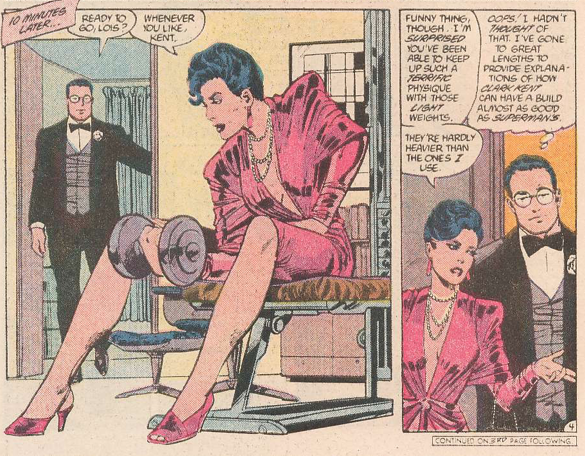
They’re also useful for maintaining a secret identity.


Posted in videogames, weight, WiiU | 2 Comments

The Power of the Shell

Super boring post today.  Sometimes I just put stuff up so I can look back at it later when I’m thinking “I know I did this once, how did I do that?”, and today is one of those posts.

If you’ve ever been bored enough to dig into the archives here, you’ll find an awful lot of ranting about video conversion.  My wife and I used to buy a LOT of movies, and I eventually got tired of having a house decorated in DVD spines, so I spent a few years converting all of the movies into video files that could be imported into iTunes and played on the living room TV using an AppleTV.

I started this in, oh, 2009 or so? And then I finished it almost exactly a year ago.

…but…

I didn’t really understand what “metadata” was for the first few years.  Specifically, I didn’t understand video types. (And, to be fair, there’s not a ton of resources out there for people trying to do what I was doing, so I don’t feel too bad about this.)

So what I would do is convert a DVD into an iTunes-compatible m4v file, drop it into iTunes, iTunes would import it as a “Home Movie” and then I would drag it over into Movies or Television, which was great except that every time I tried to import the files into a different copy of iTunes they would wind up in Home Movies again.

Around mid-2013, I figured out how to use mp4v2 to write video types to the m4v files, which meant that I could hard-code “I am a movie” or “I am a TV show” into the files themselves, meaning that iTunes could import them without extra hand holding.

If you want to get mp4v2 on your Mac, by the way, it’s pretty simple.  You need to install the brew package manager:

ruby -e “$(curl -fsSL https://raw.githubusercontent.com/Homebrew/install/master/install)”

And then just execute:

brew install mp4v2

This was great!  But it meant that I had thousands of video files from before I figured this out, so they didn’t have proper metadata.  Going back to fix them all would have taken a lot of work, so I decided to deal with it.

Years passed, and I got tired of dealing with it.

So here’s my solution, convoluted as it may be.  Hopefully this will come in handy to someone – if not, well, it’s mostly for me to use as reference in the future.

First I figured out when the break was between properly tagged and improperly tagged files.  It turned out to be sometime in June, 2013, so I needed a way to find every file from before then.

My server is a Mac, so I could use the “find” terminal command to find all files older than another file.

Step one: Make a file that I could use as a reference for find.

Step two: Using this file, get a list of all files with either mp4 or m4v extensions that are older than June 1 of 2013.  This actually gets all files with an extension starting with m, so it picks up mp3 etc.  Not hard to filter those out tho.

Side note: You can’t run this “find” command from inside a folder with a dash in the name, you get an error.  Very annoying.

So now I have a list of files, one per line, with full path.  Looks rather like this:

And I can feed every file in the list through mp4tags like so:

And the result is thousands of correctly-tagged video files with minimal effort on my part.

One small annoyance down. 🙂


Posted in video encoding | Leave a comment

I did not need another console

I have, on occasion, rambled on about how nice it is that you don’t need to own multiple consoles in this generation.  While both the PS4 and Xbox One have a fair number of unique games, there’s a really nice amount of overlap between their libraries, so you can really own either without feeling too left out.

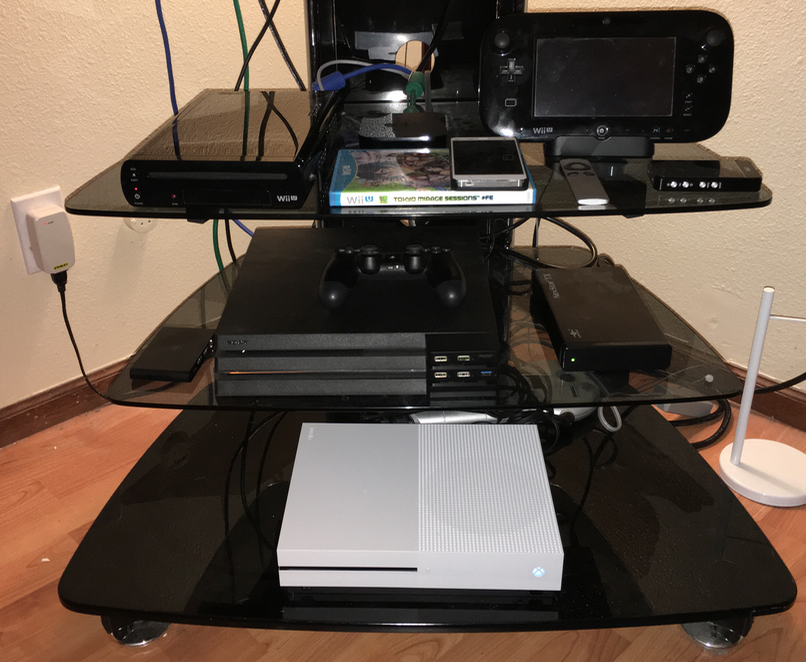
So, I was happy with my PS4, later upgraded to a PS4 Pro.  It’s the first generation where I’ve really considered a Sony console to be my go-to system, made somewhat easier by the fact that the DualShock 4 is the first controller I think Sony has ever gotten right.

Then came Amazon’s Prime Day, with its staggering offer of an Xbox One S bundle for $240, including an extra controller and three games  (Forza 6, Halo 5 and ReCore.)

And, well, I’d never signed up for the Amazon credit card, meaning that I could get an extra 80 bucks off, so err..

I am impressed by how small the thing is, particularly with no external power brick.  I’m a little less impressed by how long the initial system update took, but fortunately downloading games is a fair bit faster.

I’ve also decided that this is going to be my first digital-only system, since I’ll mostly be using it for Microsoft exclusives.  It’s a big step for me, so we’ll see how long that plan holds.


Posted in videogames, Xbox One | 3 Comments

I 4kd up.

A few months back, I went on a prolonged rant/rave about having my primary monitor die and how I’d replaced it with a new 4k display and how shiny it was.

It turned out that this was not, actually, the greatest idea. The rest of my computer wasn’t REALLY up to the task of driving a 4k display, even with older games, and HiDPI support in Windows software is a little… spotty, to be polite about it. Some older games, like Mass Effect, look great in 4k and properly scale their text to be readable, but there were too many that made me wish I kept a magnifying glass next to the computer. I managed to grit my teeth and make it through Dragon Age: Origins, but I finally broke when I tried to play Secret World Legends, a 2017(!) game that allows for scaling all UI elements up to 200%, but only offers three text sizes, all of which are too small to read comfortably.

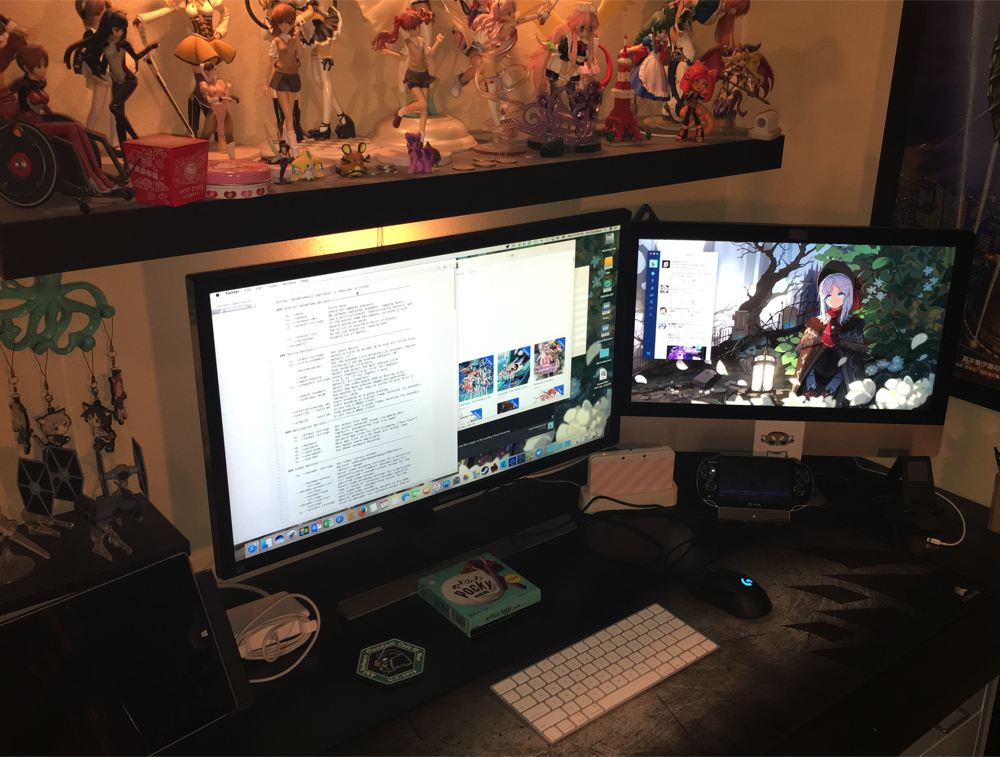
So that was the final straw that got the 4k monitor moved from my gaming PC over to the iMac that I use for productivity tasks, and it unsurprisingly makes a great Mac monitor. HiDPI displays have been a Thing on Macs for five years now, ever since the first “Retina” MacBook Pro, and of course I’m not trying to do any real gaming on it, so the OS and applications look great, and adding a 28″ external display to the 21″ built-in feels very luxurious.

Actually, it absolutely dwarfs the built-in monitor.  I did not expect such a difference until I had the two next to each other.

Side note: I feel dirty using “Retina” to describe a display. Please know that the quote marks around the word are being used to convey sarcasm, and that Retina is being pronounced in such a way as to imply the speaker’s disdain for the term. REH-TIN-NUHHHHHH.

As for the PC? Welp, it’s back to a 1920×1200 monitor that I’ve owned for the best part of a decade, and it’s a much better experience. Text is readable, games behave on it, and of course the GTX980 that struggled to keep a steady frame rate on the bigger screen has no problems driving the smaller one at a smooth 60fps in everything I’ve ever thrown at it. I COULD upgrade to a 1080 or similar, but it seems like a much better plan to just skip a few video card generations and come back.

I’m kind of going through the slow process of drifting away from PC gaming anyway. I’m noticing that my left hand does not like being held in WASD configuration for hours on end anymore, so moving from KBAM to controller may be a necessary evil. Or I could, I dunno, take occasional breaks. I know, I know, I speak madness.


Posted in mac, PC Gaming | 2 Comments

In which, I succumb to gamification

So, a little backstory here. Literally.

For a few years now, I have had recurring pain in the lower right corner of my back, something that I chalked up to the inevitable advances of age. Never enough to be serious, just a near-omnipresent vague annoyance.

I can’t blame it on age any more, because I finally figured out that it might have something to do with having a 3/4″ thick slab of a wallet in my back right pocket and sitting on it every day for hours at a time.

Since switching to a slim front-pocket travel wallet last month, I am no longer dealing with this constant low-level pain, so if you are reading this and thinking that you might want to do the same thing for your inexplicable back pain, I will recommend the “Travelambo” line of travel wallets, an endorsement which I can assure you I am not receiving any remuneration for. The particular one I have is ample for two credit cards, my library card, my insurance card, and my driver’s license. It turns out that I very rarely miss any of the things I used to carry when I had a full wallet.

Anyway. Going to a slim wallet like this also meant that I finally had to break my habit of using cash for small purchases, or indeed for any purchases, so I have become one of those guys who pulls out a credit card to pay for a $5 value meal. One side effect is that I am now vividly aware of how often I was eating $5 value meals, and my credit card statement has been shaming me into eating fast food far less often. So that’s a good outcome.

The other thing I’ve been trying to do is to use my phone as a payment source for as many things as I can. This is harder than it should be – not very many places locally accept contactless payments, and readers are often mysteriously nonfunctional even in stores that should take Apple Pay.

Apple Pay aside, some places have their own app that you can install on your phone to let you pay for things, and that brings me, at last, to the main topic of this post, which is that I signed up for the Starbucks loyalty card/payment app and it has been playing with my mind in most efficient fashion.

The Starbucks loyalty program has two levels of membership: “Green”, which confers no real benefits other than a free drink on your birthday, and “Gold”, which lets you actually earn free food and drink, in the fashion of a “buy 12 subs get 1 sub free” punch card from your local favorite sandwich shop.

Side note: I have exceptionally poor luck with these sorts of promotions, because every time I have gotten a “buy 12, get one free” card from an establishment, the place has shut down before I can fill up the card. I am pitting that bad luck against the financial stability of the entire Starbucks corporation, so I think I’m probably safe, but if the poor guys go out of business unexpectedly I will feel really bad about it.

To return to the membership status levels, you achieve gold status by accumulating 300 “Stars” in a year, after which time you can get a free item for every 125 stars. Stars are doled out to you at an exchange rate of two for every dollar spent. There are other benefits as well, of course – you get free refills on certain drinks, you get a customized loyalty card, you are allowed to “accidentally” knock over the drinks of green members with an insincere “Sorry, Bro”, that sort of thing.

The point is, as soon as you sign up for this card, you are immediately on a quest to achieve gold status. And I know quests.

The easiest way to complete this quest is to spend $150 over the course of a year. That’s simple enough. A CHILD could do it.

On the other hand, as soon as I was in their loyalty program, they started sending me subquests that rewarded (shock!) stars. Like, “eat at Starbucks three times in this four-day span for an extra 50 stars”, that sort of thing. Since I’m already a fan of their hot sandwiches, it’s not like I was going in to buy things I wouldn’t have bought ANYWAY, right? It’s just choosing to have a semi-healthy sandwich instead of all of those value meals, it’s perfectly justifiable. Also there are Starbucks within walking distance of both my job and my home, and a little walk now and again is good for you, gets the steps up on Fitbit.

Short version, after completing some of these subquests, I finally hit gold status – with 47 excess stars towards my first complimentary item, even – spending a hair over 73 bucks on Starbucks in the process.

Seriously, I half expected my phone to play a little Final Fantasy-style victory jingle.

And, of course, I got completely played in the process, because I went to Starbucks on at least ten occasions where I normally would have gotten lunch somewhere else. I acknowledge this. Thankfully none of the other loyalty programs I belong to have gamified their systems quite so well, or I would be in real trouble.

Posted in random | Leave a comment

It’s 2017, and I’m… I’m repeating myself, aren’t I?

Finishing Macross 30 took a good hunk of June.  It’s a pretty big game, and although you could probably play through it in 25 hours or so by just ignoring all the nonessential combat and following the big “Story This Way” arrows, that would be a heck of a waste.

It was a good ride from opening animation to end credits, with ungodly amounts of references and in-jokes and, well, fan service in the far-less-common usage.  It was also my last PS3 game, so that was two more consoles (I had a launch 60GB and a slim) disconnected from the TV and packed away.

After that, I needed some shorter games, so I knocked out a visual novel or three, a hidden object adventure (Enigmatis 3, which was kind of a let-down from Enigmatis 1 & 2), and three out of my four remaining WiiU games.  I’m kind of cheating there to pad my count, since they were all Disney Infinity play sets, but they’re distinct enough that I consider them their own entities.

Disney Infinity 1.0’s play sets were… well, they weren’t amazing, and I’m kind of impressed the series got a second installment. The Pirates of the Caribbean play set at least had some fun naval combat and humor to it, but Monsters University was a terribly forgettable 3D platformer, and The Incredibles was… well, it wasn’t.

I do give The Incredibles credit for, once again, making the most girly character ridiculously overpowered.  While the Violet figure was a little tricky to find, something I chalked up to Disney not making a lot of girl toys while I was looking for her, she has a crazy-good skill set of ranged attacks, invisibility, and pretty meaty melee.  She might have been hard to find just because she’s really good.

Or, you know, that would have meant something if they hadn’t given the entire system an unceremonious kick in the arse off a very high cliff.  Still bitter there.

Anyway, that leaves me with only one WiiU game – Tokyo Mirage Sessions #FE.  I’ve put about four hours in so far, and it’s proving to be a real treat.  It’s a gorgeous game, for one – mind you, running on the somewhat anemic WiiU hardware means that you have to forgive a LOT of jaggies, but it makes up for those with a terribly appealing art style.  It also makes some really interesting use of the game pad, which doubles as a map and instant messaging application.

Also, while I haven’t gotten TOO far in the game world, the representation of the Shibuya station Hachiko exit & scramble crossing is just pitch perfect.  It’s probably one of the most famous intersections in the world, mind you, so I’m not surprised they put effort into replicating it in virtual form, but it’s close to the point where I almost expect to hear the entreatments and rants of missionaries and protesters (there always seem to be a few of them, with portable amplifiers, hanging out right at the street corners).

After that’s done, I’m going to have a dozen Wii games and then I’ll be down to just having a PS4 backlog to play through.

OK, well, a PS4 backlog and a few Steam games.  And a few PC games that aren’t on Steam.  And some Vita and PSP and 3DS games.  And this supposes that I won’t break down and buy the WiiU Zelda game just to see if this will be the 3D Zelda that finally sticks with me.  But in THEORY I am close to only having one video game console hooked up.


Posted in ps3, videogames, WiiU | Leave a comment

The 3DS Mii Plaza “Line” feature is needlessly complicated

My favorite feature of both recent portable systems has been their weird little community systems.  Sadly, the Vita’s “Near” never really took off, but Streetpass seemed to do pretty well – at least, once Nintendo added Streetpass Relay stations to every McDonalds and Home Depot.

There are two Home Depots and probably a half dozen McDonalds within 20 miles of me.  I have ALL the puzzle pieces, which is an accomplishment I should probably be a lot less proud of, and I’ve finished Find Mi I & II enough times to have every achievement.  I never bought any of the other Streetpass games, though, and therein lies the problem I ran in to recently.

See, I’m going to be heading to Hawaii and Japan in a couple of months, and with the Switch taking off and the 3DS on its last batch of releases this is probably my last chance to collect passes and fill out my map and birthday calendar.  So I figured that I would drop the five bucks for the expanded Mii Plaza, specifically to get the feature that lets you queue 100 Miis instead of just 10.

It turned out not to be so simple.  After going into a couple of Streetpass Relay stations, I was up to 10 Miis in my queue, but it wouldn’t go over that.  Some quick Google searches showed me that the Line feature doesn’t let me actually collect 100 Miis passively – I still need to open the 3DS every once in a while and send them to the Line, where up to 100 will accumulate.  It still saves time, I guess, but it’s not the solution I was hoping for.

Also, I could not figure out how to USE the Line.  I’d collect a few Miis, open the Mii Plaza app, and I’d immediately be at the gate greeting new Miis.

The short version of all this is: If you don’t have any games that aren’t completed, you never get the opportunity to send Miis to the line, because the option is only available on the menu that pops up to tell you that you haven’t played all of your games with all of the Miis already at the gate.  So, the solution was to start a game of Find Mii, and now the game actually DOES prompt me to send new arrivals into the line and I’m finally getting the benefit of the Mii Plaza expansion.  It took me nearly a week to figure it out, and way more trips to Streetpass Relay locations to gather more Miis than I really want to admit.

I’ve got it sorted now, but this has to be one of the most Nintendo solutions to a problem that I’ve ever seen.

Posted in 3DS, videogames | 2 Comments