
So, over the last couple of months I’ve gotten my home network to be just about as good as it’s ever going to get. I have WiFi 7 everywhere in the house, a centralized dedicated 2.4Ghz WAP that handles all the IoT stuff, 2.5 GbE runs to anywhere there are computers, a 5G backup antenna that I can fail over to if cable goes down… I’m done.
I’ve also done a bit of smart home stuff, but that’s something that was not planned out very well and that I don’t want to talk about.
Instead, I wanted to talk about the software side of things.
In the post a couple of days ago, I mentioned that I have a Synology NAS – specifically, a DS420+. It’s a pretty solid device, actually. I also have an Unraid box put together out of a bunch of spare parts, and it’s also pretty solid.
But, while both of them are notable for having really user-friendly community-maintained app stores, just picking an app from a store and saying “install now” doesn’t really scratch the itch to tinker.
Also, the Downloads folder on every computer I use syncs to a Downloads share on the Synology NAS, which is great in some ways but means that it gets very messy very quickly. I have some folder actions set up on a MacBook that do some sorting, but if that MacBook is turned off then the sorting doesn’t happen.
I also bought a license for Hazel, which is a great piece of software for automating file management on your Mac… but I felt like I wanted just a little more control.
So. Enter this thing.

This is an AYANEO Retro Mini PC AM01, and it’s shown up in a few posts here before because it’s cute and because I bought it on a whim and keep not finding any real long-term purpose for it. It’s been a Proxmox host, it’s been a Bazzite box, it’s run Windows Server and even Windows 11 as a gaming box for retro titles… basically the poor thing has been through so many operating systems that it probably needs the computer equivalent of a therapist.
So, what’s one more?
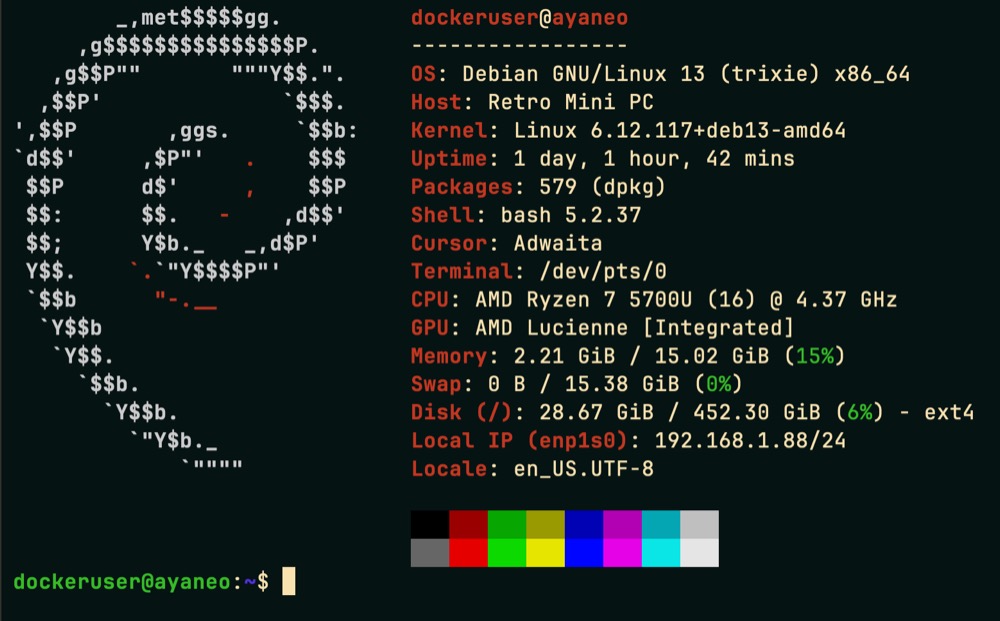
When I decided to make a little application server, it took me a while to decide on a linux distribution. I use CachyOS on most Linux boxes, but it’s not exactly built for stability. Debian got a lot of recommendations as a solid pick for a server, and I went looking for a Debian variant that included an option to run the same KDE Plasma desktop that I like on Cachy. Which turns out to just be Debian.
Anyway, I started the installer, got to the point where it asked me to choose my desktop environment, and stopped dead.
And then I looked at the options, and thought about what I wanted to do with this little PC, and then I picked the “no GUI, just make sure ssh server is running” option.
This isn’t as intimidating as you’d think, actually. I pretty much live in the terminal on both macOS and Linux, so the only real difference is that I don’t have the fallback option to open up a Dolphin window when I want to do a lot of file management.
Nonetheless, needing to learn how to configure my resolv.conf files and my apt sources and get all my network shares mounting via fstab and make them writable once they were mounted and install things like rsync that aren’t part of the base install…
Let me repeat that. rsync isn’t part of the base install. FREAKIN’ RSYNC. AND I had to figure out how to get utf8 character encoding working because who has two thumbs and a lot of files with kanji in the file names? THIS GUY.
…anyway it’s been a voyage of discovery. Summing it up: this is a version of Linux without the rough edges sanded down and I have gotten a lot of splinters. Peak experience. 10/10.
…wait.
It includes nano by default?
OK, 8/10.
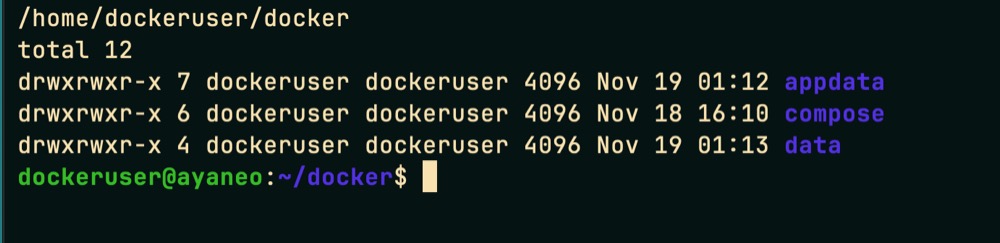
It’s a little weird having a home directory that didn’t come with subdirectories for Documents, Downloads, Pictures, Music, or even .local, .config and .state, but that’s not what I’m here for. I’m here to install Docker containers and process downloaded files, and I’m all out of bubblegum.
That’s how the saying goes, right?
I have a few services running already and am planning to expand. I confess that I’m making it a little hard on myself by trying to avoid running Docker containers under root, which means that I suddenly need to pay attention to file permissions.
I also installed watchexec and created a service that monitors the Downloads folder for changes and kicks off some scripts whenever it sees them.

Let me be VERY up front: Gemini is doing almost all of the heavy work. I come up with a problem that I want to solve, I describe it to Gemini and ask for a bash script, it spits out a working bash script that does almost but not quite exactly what I need, I hack away at the bash script until I have introduced enough bugs to consider it my own work and then Gemini helps me fix the bugs.
Oh, and it slots neatly on the top shelf of my rack next to the UniFi Cloud Gateway. I’d actually wanted to put a Mac Mini there and use it as a server, but… well, that’s a story for another time.
I have a lot of things to set up still, but this has been pushing all of the buttons that make happy juice flood my brain and I’m looking forward to seeing what I can do with it.