
…well, maybe it will be my year. With some caveats.
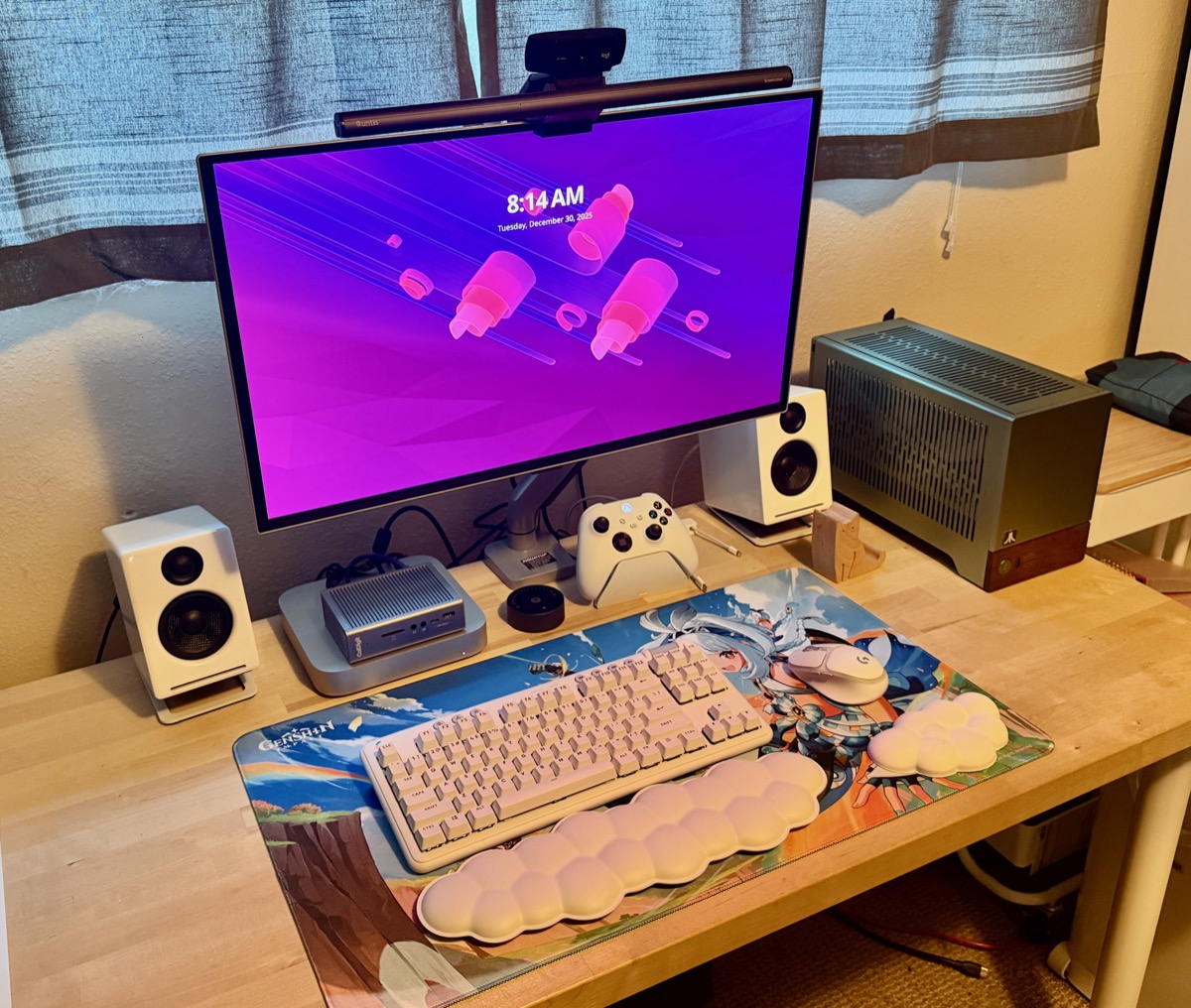
I spent a lot of time this year working on homelab projects that involved Linux in one form or another – Proxmox and Unraid, Bazzite and Omarchy – and while there definitely have been quirks it has generally been positive.
At the same time, Windows has been getting insufferable. I already mostly use Windows as a platform for gaming, with all day to day work happening on macOS or iPadOS, but even that minimal exposure has been absolutely grating on my nerves.
I don’t even mind Windows 11 as an operating system, with the strong exception being that every time I try to figure out HDR on Windows it makes me want to throw the computer through the monitor and eliminate the problem in a direct fashion. It’s just the way Microsoft seems to be going out of their way to make the user experience roughly equivalent to using a cheap subsidized smartphone from a disreputable pay-as-you-go company. Apps appear on the start menu without me installing them. I get a weekly nag screen asking me if I want to start backing up to OneDrive yet, or if I would like to connect Windows to my cell phone (I don’t). Rage-inducing news headlines pop up from the widgets panel. I make the mistake of leaving a computer turned off for six months, and when I boot it again I get duplicate copies of everything in my OneDrive. I get really used to running Android apps on my desktop, and then the feature just disappears.
To be clear here, I’m talking about Windows 11 Professional. Not Home. I can only imagine the horrors of Home.
And the worst thing is that, when you come down to it, Microsoft’s services are genuinely pretty decent. I actually use the Microsoft Account sign-in feature. Copilot isn’t bad at helping fix my shell scripts. Xbox Live has the whole save game syncing and cross-platform thing down in a way that no other service touches.
But the desktop experience… I can’t even anymore. I am unable to even.
At the same time, there has been a ton of work happening in the Linux community to break down the last thing Windows had going for it, which was gaming.
Well. Let’s be honest. Valve has thrown a massive amount of money at the problem over the last several years, and there are just enough disgruntled smart people out there to put their own two cents in on top of that and now you can make a Linux system play just about any game worth playing. I acknowledge that I am consciously sorting some of the most popular games in the world into the “not worth playing” bucket by saying this, but eh.
Hence, I put together a reasonably capable AMD-based system and I am going to make a real go of trying to not use Windows at home in 2026. I am already down to only having one Windows system as it is – if possible, I’m going to avoid booting the thing other than to get files off of it as needed.
So let’s talk about the new computer for a little bit, because it’s adorable. The case I used – a Fractal Design Terra – was just a marvel of design and much easier to build in than other small form factor cases I’ve worked with in the past.
It’s sort of a sandwich design, where you install the power supply and motherboard on one side of a central spine and the GPU on the other side. The side and top panels pop off for the procedure and just snap back into place once you’re ready to button it up.
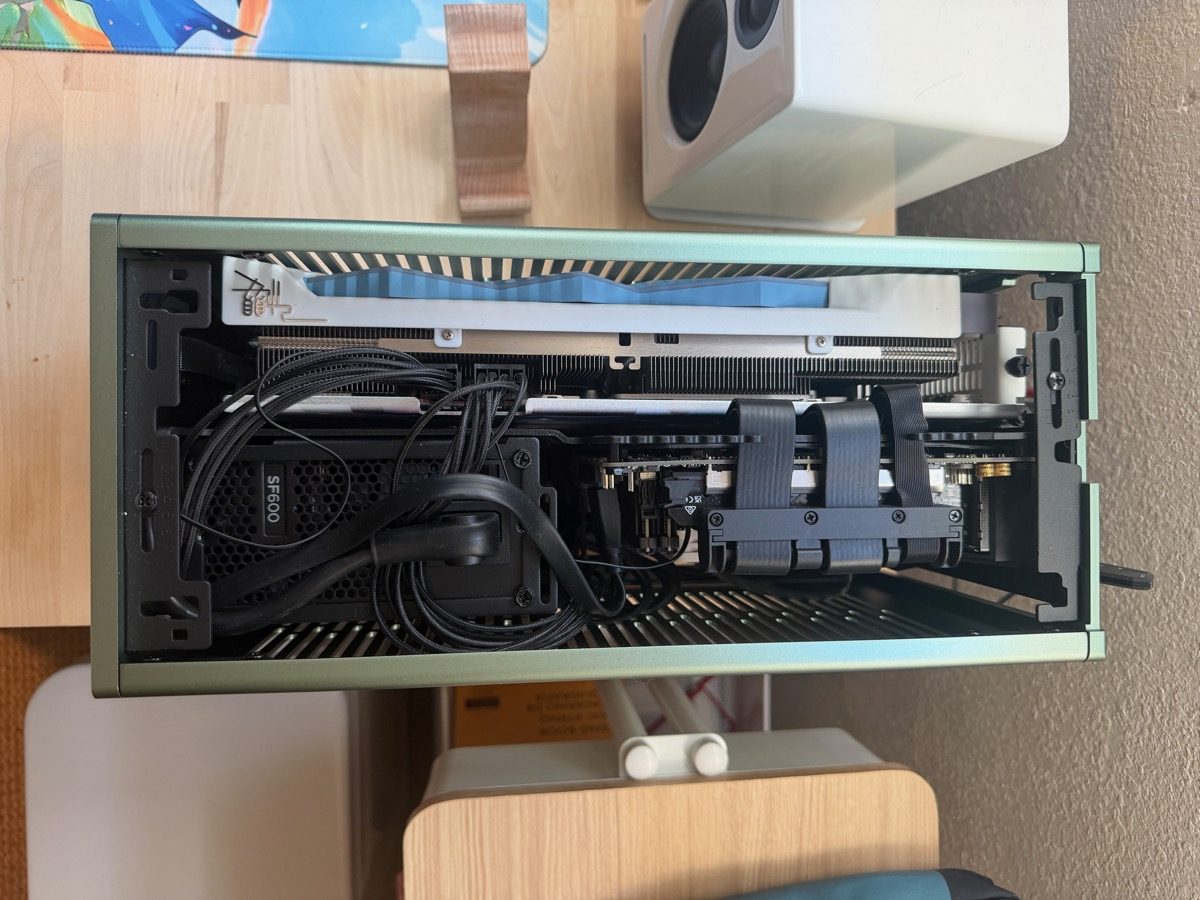
It looks awfully crowded from the top, and I was concerned about heat, but the whole thing is very well ventilated so I think it will be OK. It IS a bit of a space heater, though, and I’m certain the cat will eventually discover this.
I have an AMD Ryzen 7 5700G, a 6700XT, and 16GB of memory in the thing. Basically, it’s PS5-level specs, maybe a little better but there’s going to be more overhead in a general purpose box compared to a dedicated gaming platform. It’s subjectively a lot prettier than a PS5 anyway.
And, yes, it also cost considerably more to put together than just buying a PS5 off the shelf.
I’m sorry, I meant more than buying a PS5 PRO off the shelf. Which almost certainly trounces it in performance. But I can’t play my Steam games on a PS5.
Fortunately all of the parts I used, except for the case, were ones I already had on hand from previous projects. So it was basically free, from a certain point of view.
For an OS, I waffled a bit between a few Linux distributions. I had used Bazzite with very good results for some experiments earlier in the year, and I also have a laptop that I have repurposed to run Omarchy for development work.
I eventually went with neither and picked CachyOS. For the record, I don’t recommend this if all you want to do is set up a game console equivalent system. Use Bazzite. I picked CachyOS specifically because I wanted to be able to use Synology Drive to sync the contents of folders between the Linux system and my NAS, and for that I needed to run a Linux variant that was more targeted at desktop users, but at the same time maybe not QUITE as obtuse as Omarchy.
Like, I still haven’t figured out how to copy and paste between terminal windows and the web browser in Omarchy. It’s a little too much for something where you just want to turn it on and launch Steam.
After some thought, I probably should have gone with Mint as it’s really taken the lead in the category of “Linux for people who don’t want to have to tinker with things too much” but I don’t mind some tinkering.
CachyOS has a neat feature where you can install a bunch of gaming-related software without needing to put any thought into it, so that had me covered for Steam, Epic, GoG and Amazon games. I needed to do a little more work to get Ubisoft Connect working and even more work to get the Big Fish Game manager working. The Venn diagram of “Linux gamers” and “Big Fish customers” is basically two circles at opposite ends of a basketball court, so there really isn’t much documentation on making it work on Linux. The game manager would launch but all of the text would be… screwy, to put it in technical terms. I wound up trying different versions of Wine until I found one that worked.
Most hardware has been plug and play. The only real trouble I had was trying to get my Xbox Series controller connected via Bluetooth, because it would appear in the Bluetooth Devices window and sort of flicker between a connected and disconnected state. Trying to look this up got me a ton of very helpful articles suggesting I install various packages and jump through configuration hoops and one rather small comment deep in a reddit thread saying I should update the firmware of the controller.
I DID need to use Windows for that, because the firmware updater is only available as a Windows Store application. But once it was done I was able to connect it and use it in games as you’d expect. I rather think I would have been better served by a nice 8bitdo controller, but again I am working with what I have on hand.
Side note, my Stadia controller works fine with an 8bitdo dongle. I did have problems where I had like three different wireless dongles plugged in within inches of each other on the back of the case and it made for some interesting interference with my wireless headphones, but I moved some of them to a hub and moved it about a foot away from the case and that seems to have helped.
Side side note: Naturally when I went to download the CachyOS installer and make a bootable flash drive, I reached for Rufus… and then realized that it was probably a good idea if I started my Windows free era by finding a non-Windows tool to make a bootable flash drive. So now I know about balenaEtcher which is cross platform even.
Anyway. It’s December 31st 2025! I’m going to keep track of every time I need to boot a Windows system for something in 2026, and I’ll see how it goes.
 Baud Attitude
Pingback: Linux is good now; make 2026 the year to install it on your desktop - LT Tech Blog