
OK, so. This is really just a post I’m putting up so I can find it later when I’ve forgotten how to do something. But sometimes these might be useful to people who aren’t me! I hope, anyway.
Today’s post is on the topic of .webp images. Logically, webp is a great format! It offers both lossy and non-lossy formats and is much more efficient than either png or jpg. It’s a win-win! But it’s also really annoying to work with since support for it isn’t universal outside of web browsers, and I save images from the web intending to work with them in another application.
Hence today’s post, in which I fix this by (a) creating a small shell script:
#!/bin/bash
#
# fixwebp - automatically converts any webp files in ~/Downloads to .png
#

	cd ~/Downloads
	for filename in [ *.WEBP *.webp ]
	do

	filenamenoext=${filename%.*}
	if [ -f "$filenamenoext".WEBP ];
	then
		sips -s format png "$filenamenoext".WEBP --out "$filenamenoext".png
		touch -r "${filename}" "$filenamenoext".png
			rm "$filenamenoext".WEBP
	fi
	if [ -f "$filenamenoext".webp ];
	then
		sips -s format png "$filenamenoext".webp --out "$filenamenoext".png
		touch -r "${filename}" "$filenamenoext".png
			rm "$filenamenoext".webp
	fi


	done
And (b) assigning this to run whenever files are added to ~/Downloads via an Automator action.
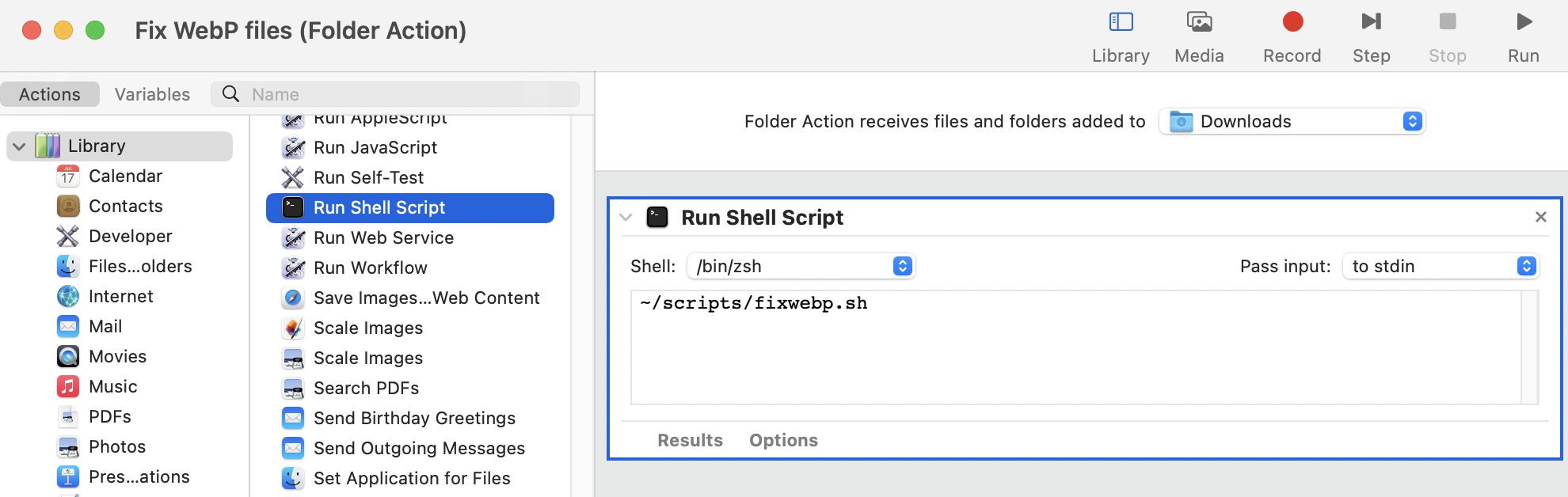
The result is that, any time I download a .webp file, it is cheerfully converted to .png and the .webp file is purged. This often results in a file which is considerably larger than the .webp version, so there is definitely something to the format’s claims of efficiency, but drive space is cheap and always getting cheaper so I am not going to care much.
 Baud Attitude